
Amazon FBA Shipment Labelling, Done Right - Plus Walmart, UPS & FedEx
Label Resizer brings together every Amazon FBA shipment labelling feature - Box ID, SKU & quantity, product title, separators, free text, split shipment merging by SKU, packing slips, compliance labels, and 2D barcodes - built for both the Send to Amazon and AWD workflows, each of which can be an SPD or an LTL shipment.
Shipping on Walmart, UPS, or FedEx too? Resize those labels to any size you need through the same extension or web uploader - along with 100+ other supported platforms.
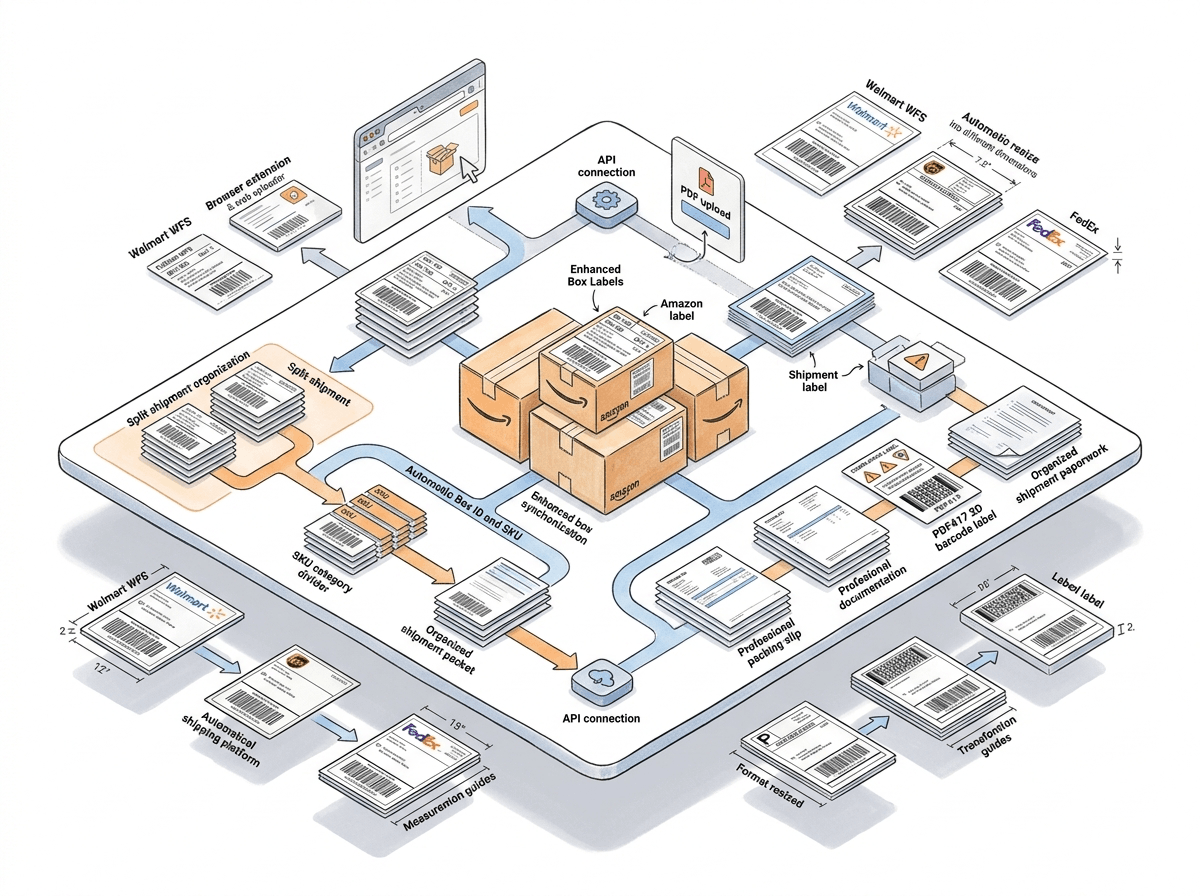
Two Levels of Support, One Account
Deep, workflow-aware customization for Amazon FBA - flexible resizing for everywhere else you ship.
Amazon FBA: Deep Label Customization
Box ID, SKU & quantity, product title, separators, free text, split shipment merging, packing slips, warning labels, and 2D barcodes - built specifically for Send to Amazon and AWD, each of which can be an SPD or an LTL shipment.
Every Other Platform: Resize to Any Format
Walmart WFS, UPS, and FedEx shipping labels resize to any size you need through the extension or web uploader - along with 100+ other supported label types from USPS, DHL, eBay, Etsy, Shopify, and more.
Amazon FBA Shipment Labelling, Covered End to End
Amazon FBA sellers ship inventory through two inbound workflows - Send to Amazon (STA), the standard shipment creation flow in Seller Central, and Amazon Warehousing & Distribution (AWD), Amazon's bulk inbound storage program. Both Send to Amazon and AWD shipments can be either SPD (Small Parcel Delivery) - individually boxed parcels - or LTL (Less Than Truckload) - palletized freight. Label Resizer's shipment labelling features are built around this structure, so whichever workflow and shipment type you ship with, your box and shipment labels come out correctly.
| Feature | Send to Amazon | AWD | ||
|---|---|---|---|---|
| SPD | LTL | SPD | LTL | |
| Box ID on Shipment Labels | ✓ | - | ✓ | - |
| SKU & Quantity on Shipment Labels | ✓ | - | ✓ | - |
| Product Title on Box Labels | ✓ | ✓ | ✓ | ✓ |
| Separator Between Box Labels | ✓ | ✓ | ✓ | ✓ |
| Free Text on Box Labels | ✓ | ✓ | ✓ | ✓ |
| Merge Split Shipment Labels by SKU | ✓ | ✓ | - | - |
Packing Slips, warning & compliance labels, and 2D barcodes for box content are workflow-independent - they apply the same way regardless of Send to Amazon, AWD, SPD, or LTL.
Customize Every Box and Shipment Label Automatically
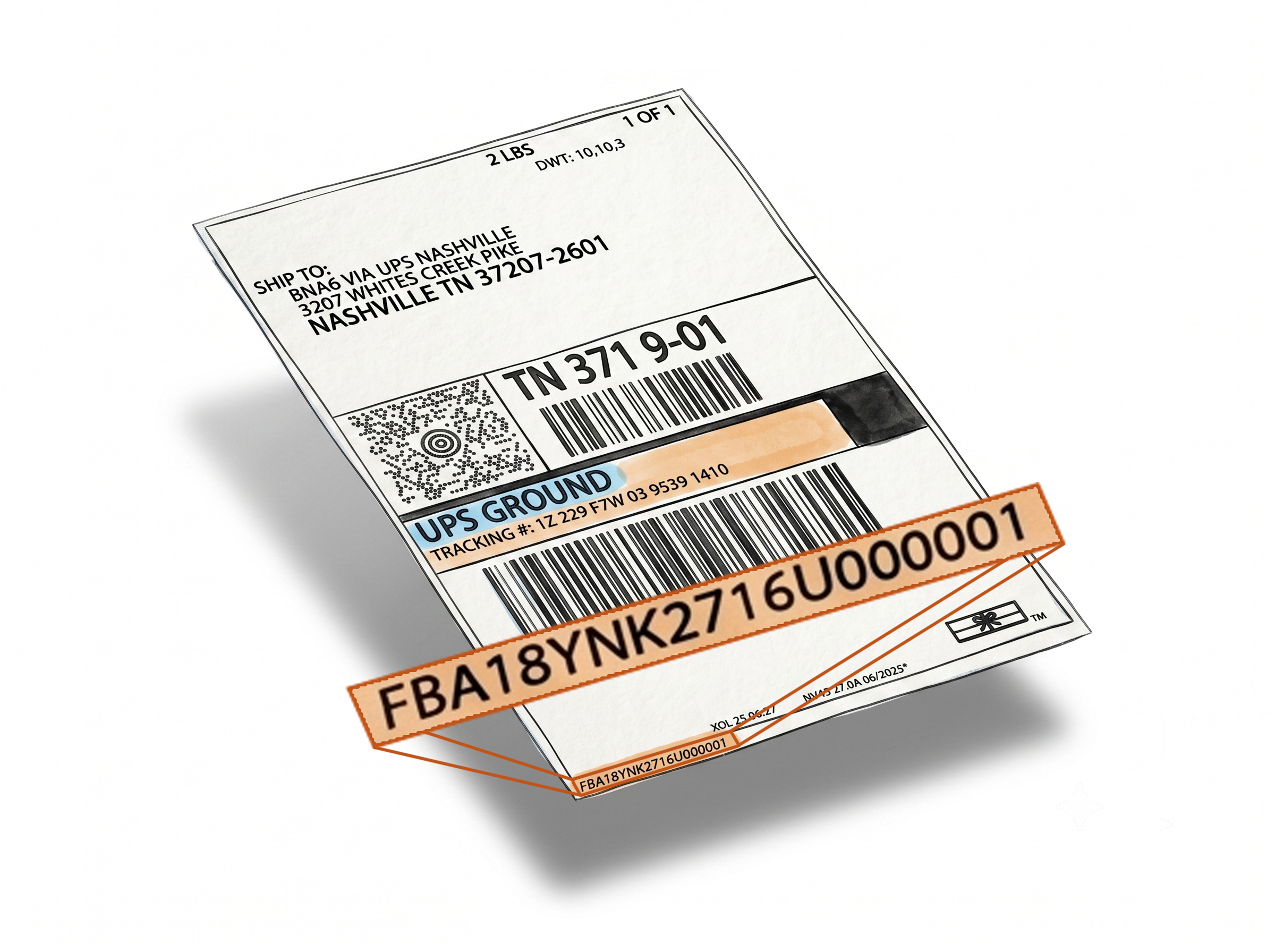
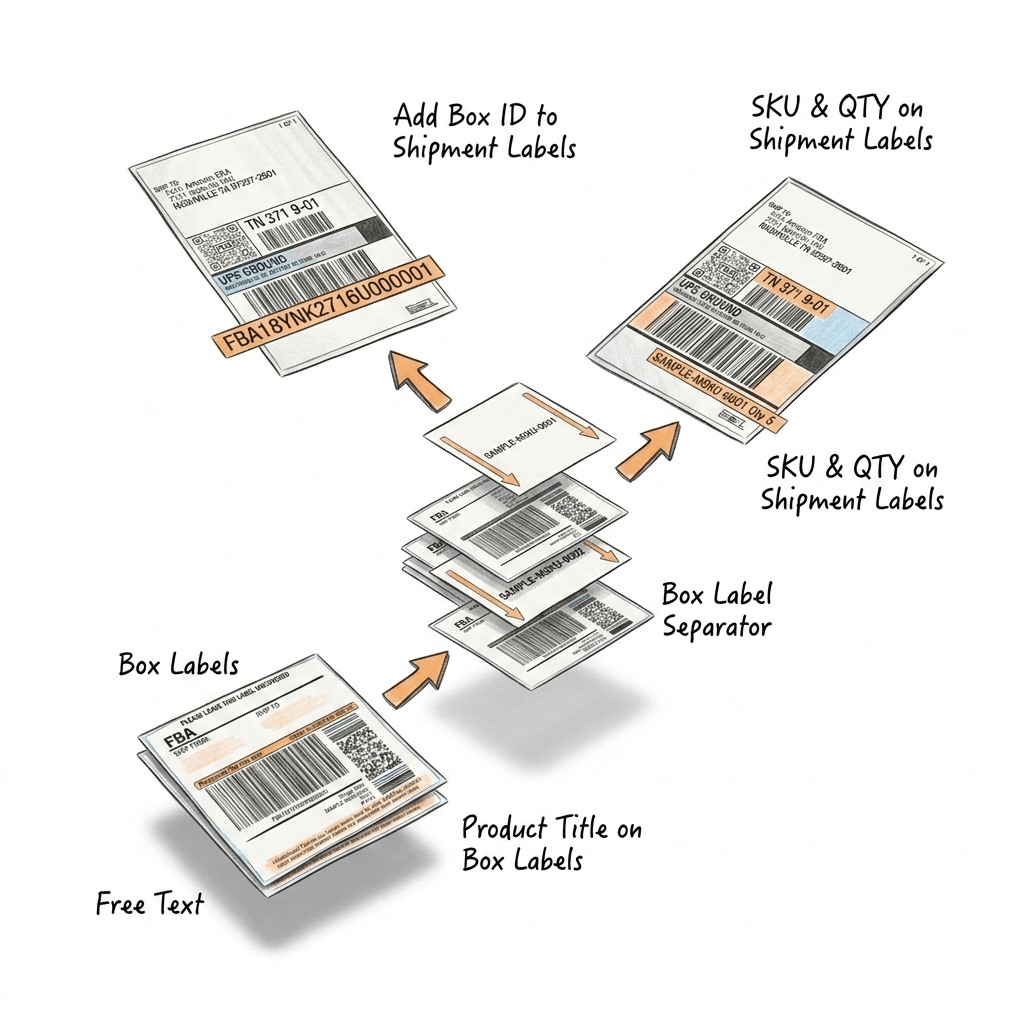
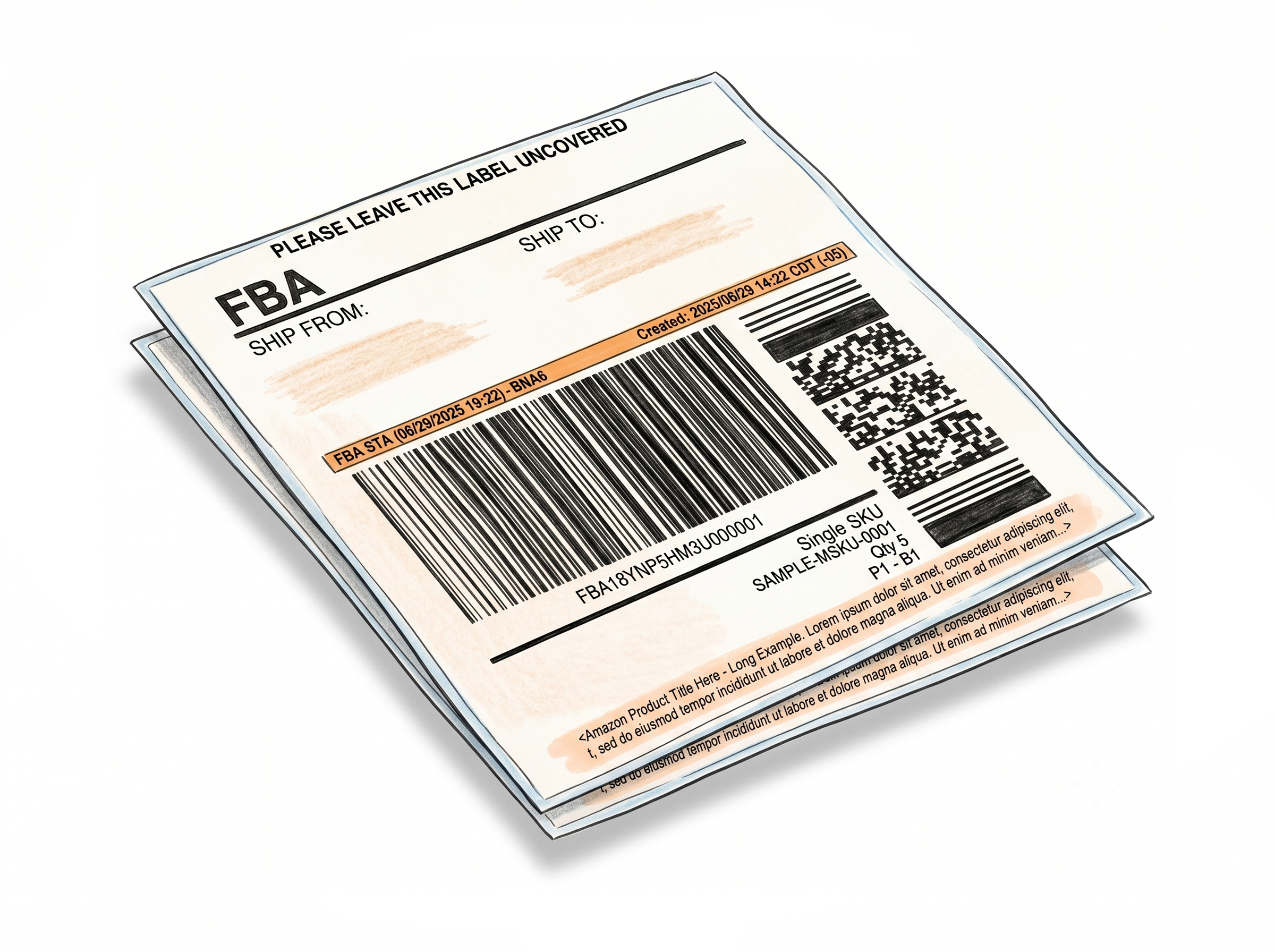
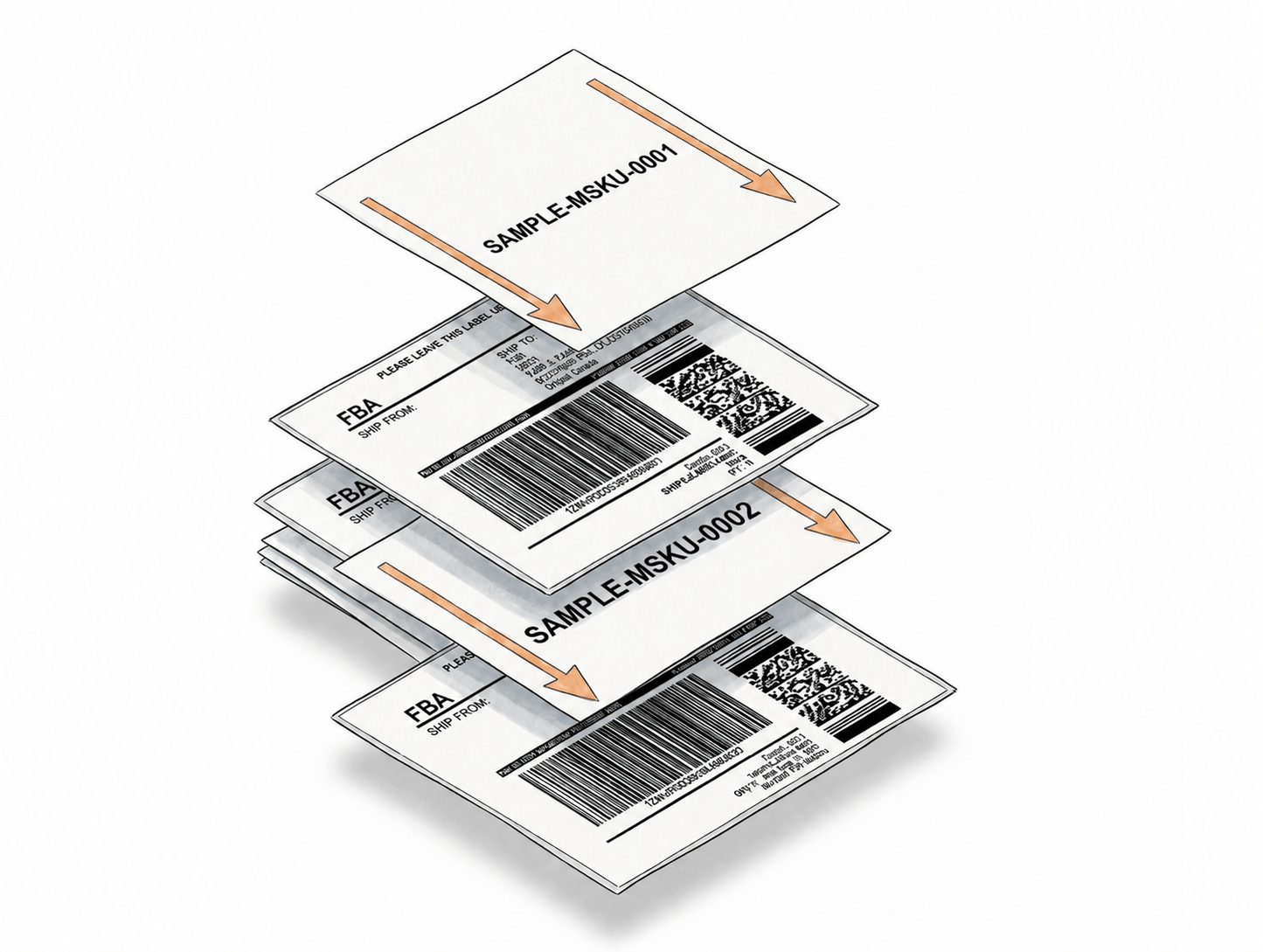
Box ID links every shipment label to its box
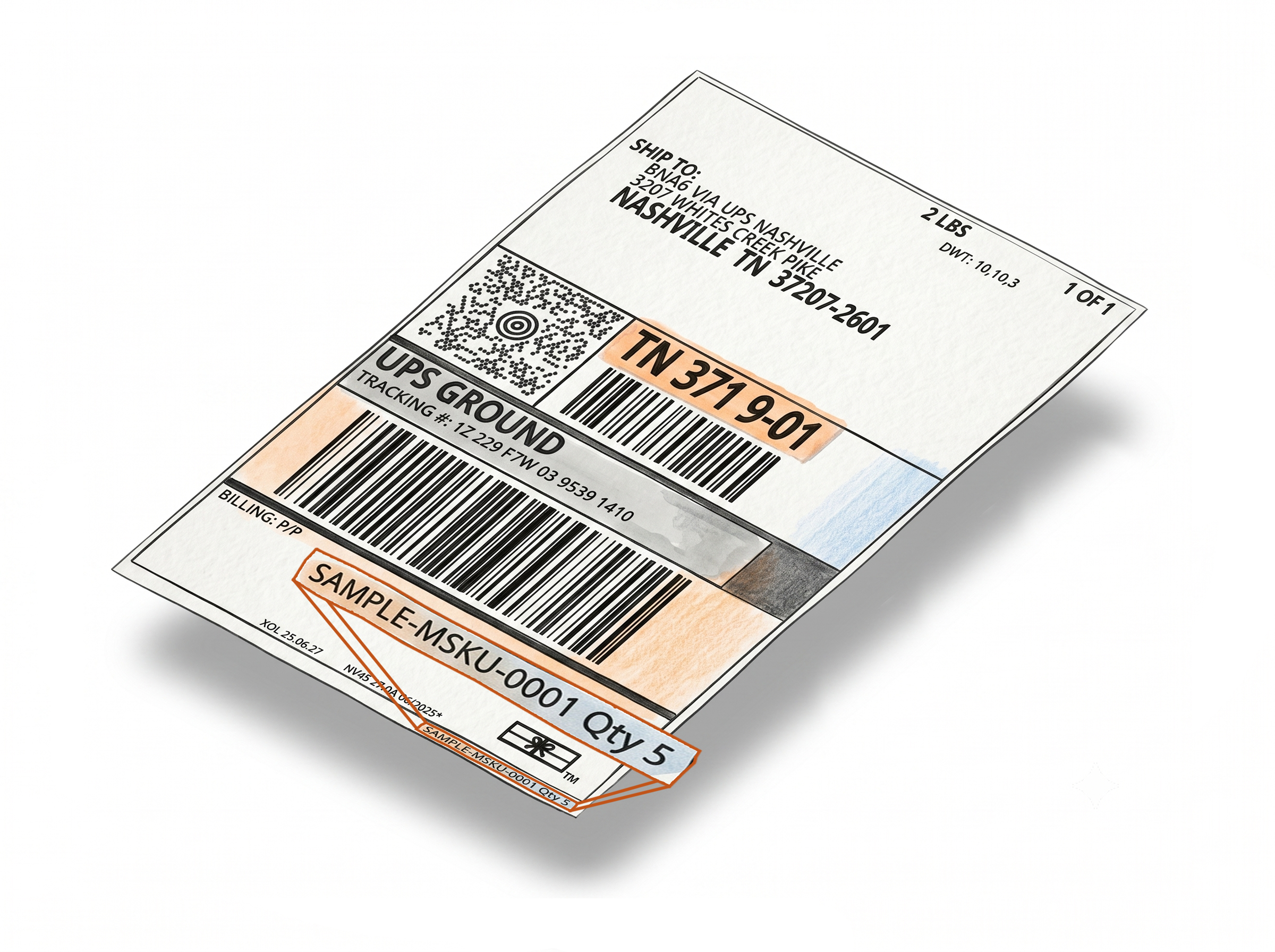
The Box ID from each box label is automatically printed on its matching FBA shipment label - making it easier to track, organize, and verify boxes during fulfillment prep. Supported for SPD shipments in both Send to Amazon and AWD. Learn more about Box ID on shipment labels
SKU and quantity, accurate every time
The SKU and quantity from each box label are pulled and printed directly onto the corresponding shipment label. If the SKU is shortened or padded, Label Resizer replaces it with the full version automatically. Supported for SPD shipments in both Send to Amazon and AWD. Learn more about SKU and quantity on shipment labels
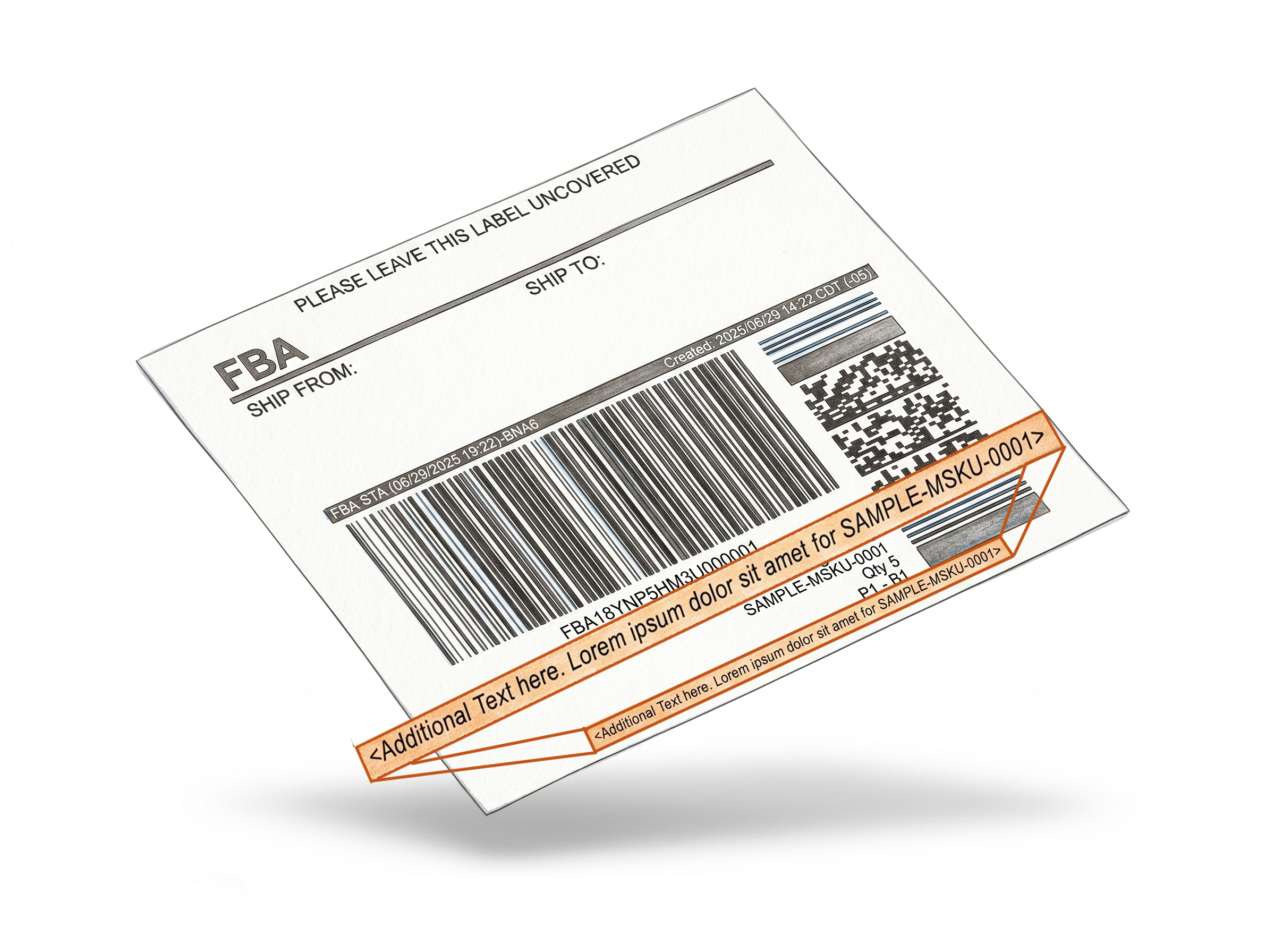
Full product title beneath box labels
Instead of relying solely on a barcode or FNSKU, warehouse staff can read the complete product name straight off the label - reducing scanning time and identification errors on Single SKU Box Labels. Works with SPD and LTL, across Send to Amazon and AWD. Learn more about product titles on box labels
Separators keep multi-SKU shipments organized
Insert a header with custom text per SKU, or a page break that starts a new page when the SKU changes. Works with SPD and LTL, across Send to Amazon and AWD. Learn more about separators for box labels
Free text adds custom notes to every box label
Print handling instructions, supplier references, or any internal note directly on Single SKU Box Labels during generation. Works with SPD and LTL, across Send to Amazon and AWD. Learn more about free text on box labels
Stay Organized When Amazon Splits Your Shipment
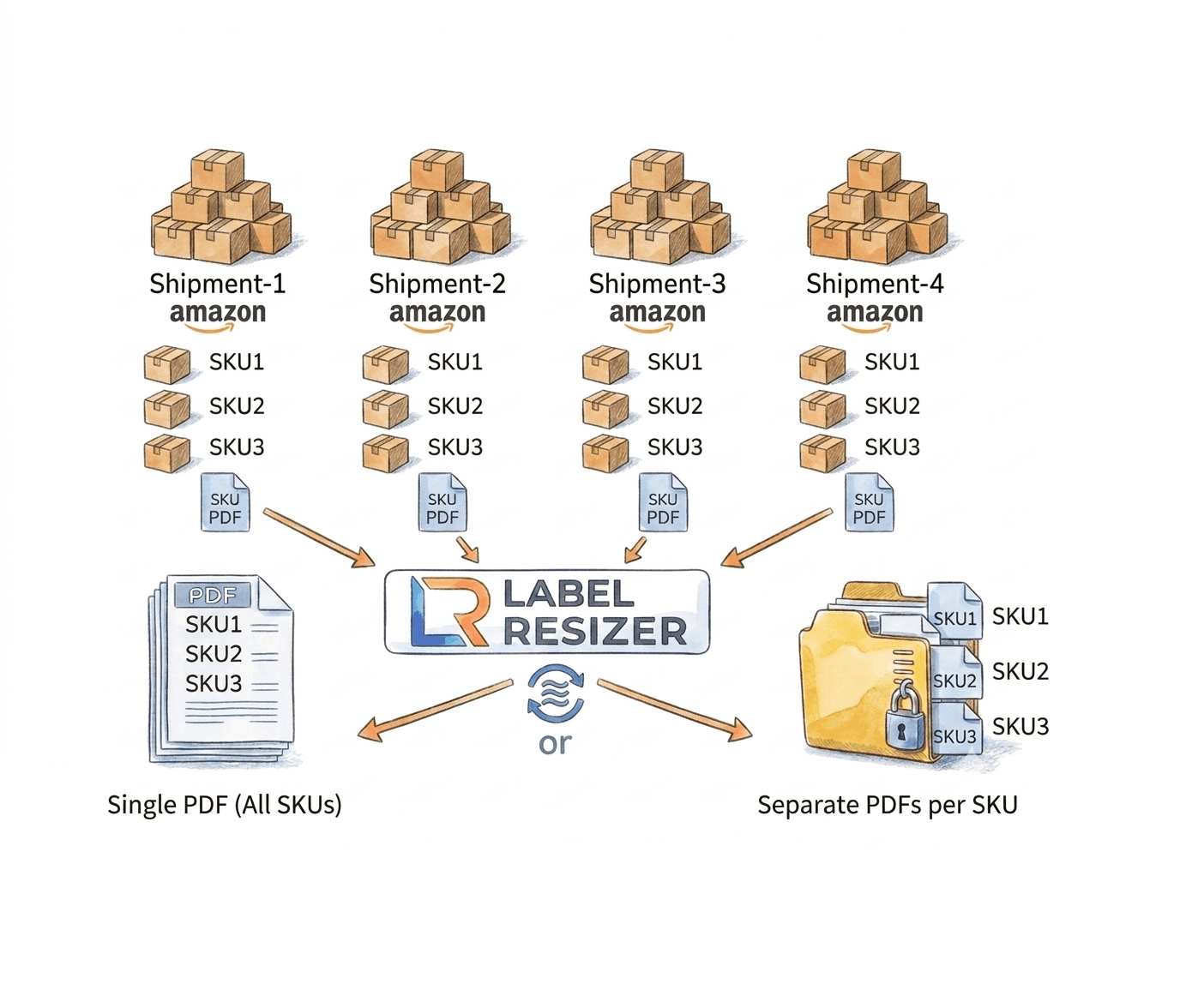
Available through the Chrome & Firefox extension directly inside Send to Amazon, or through the web uploader for teams working outside Seller Central. Learn more about merging split shipments
Box labels merged and sorted by SKU
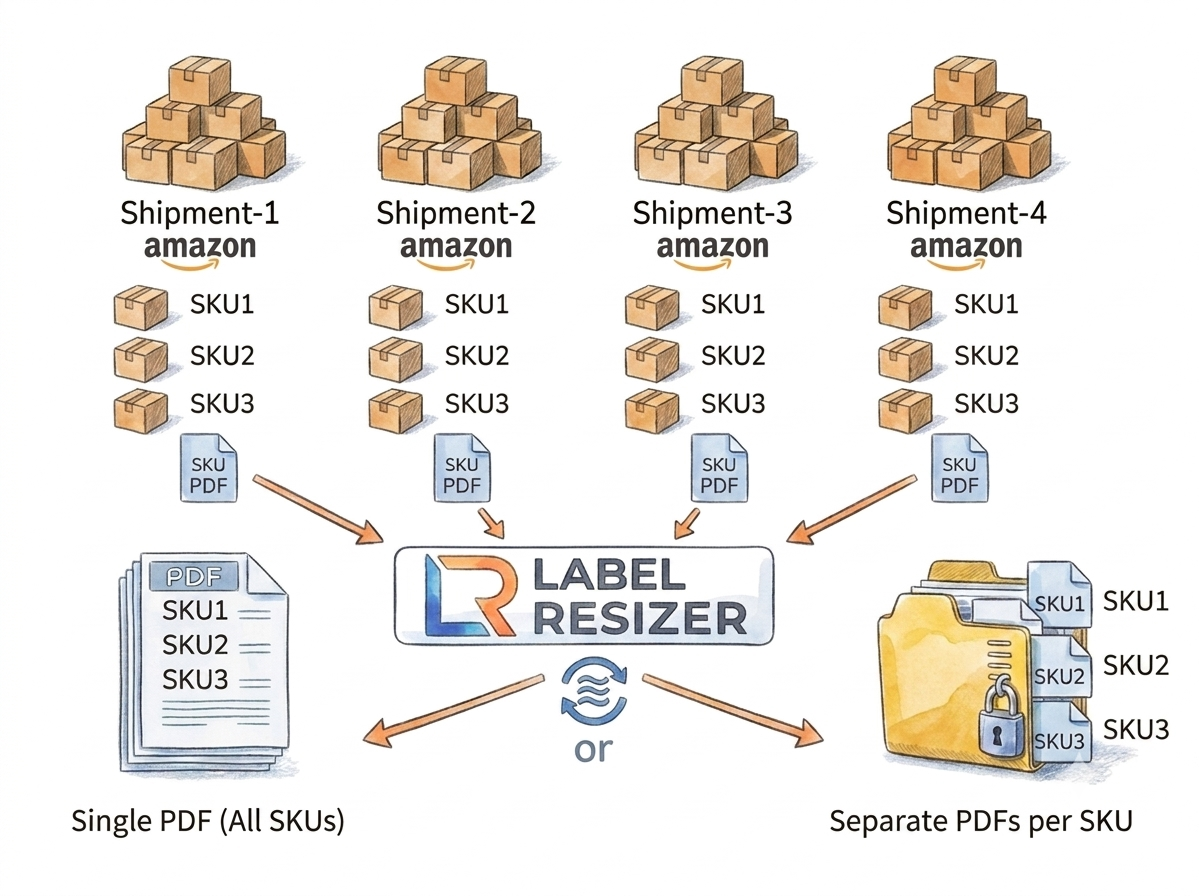
Amazon's fulfillment network optimization can split one Send to Amazon shipment into several, scattering box labels for the same SKU across multiple PDFs. Label Resizer collects them, groups them by SKU, and sorts them alphabetically.
Single PDF or a ZIP with one file per SKU
Choose the output that fits your warehouse - one merged PDF with every SKU in order, or a ZIP file with a separate PDF per SKU, set once in Shipping Label Settings.
SPD and LTL shipments both supported
Works for both SPD and LTL shipments created through Send to Amazon, with the Fulfillment Center code printed on LTL labels. Shipments over 1,000 boxes run as a background job with a download notification.
Document Every Shipment and Stay Compliant
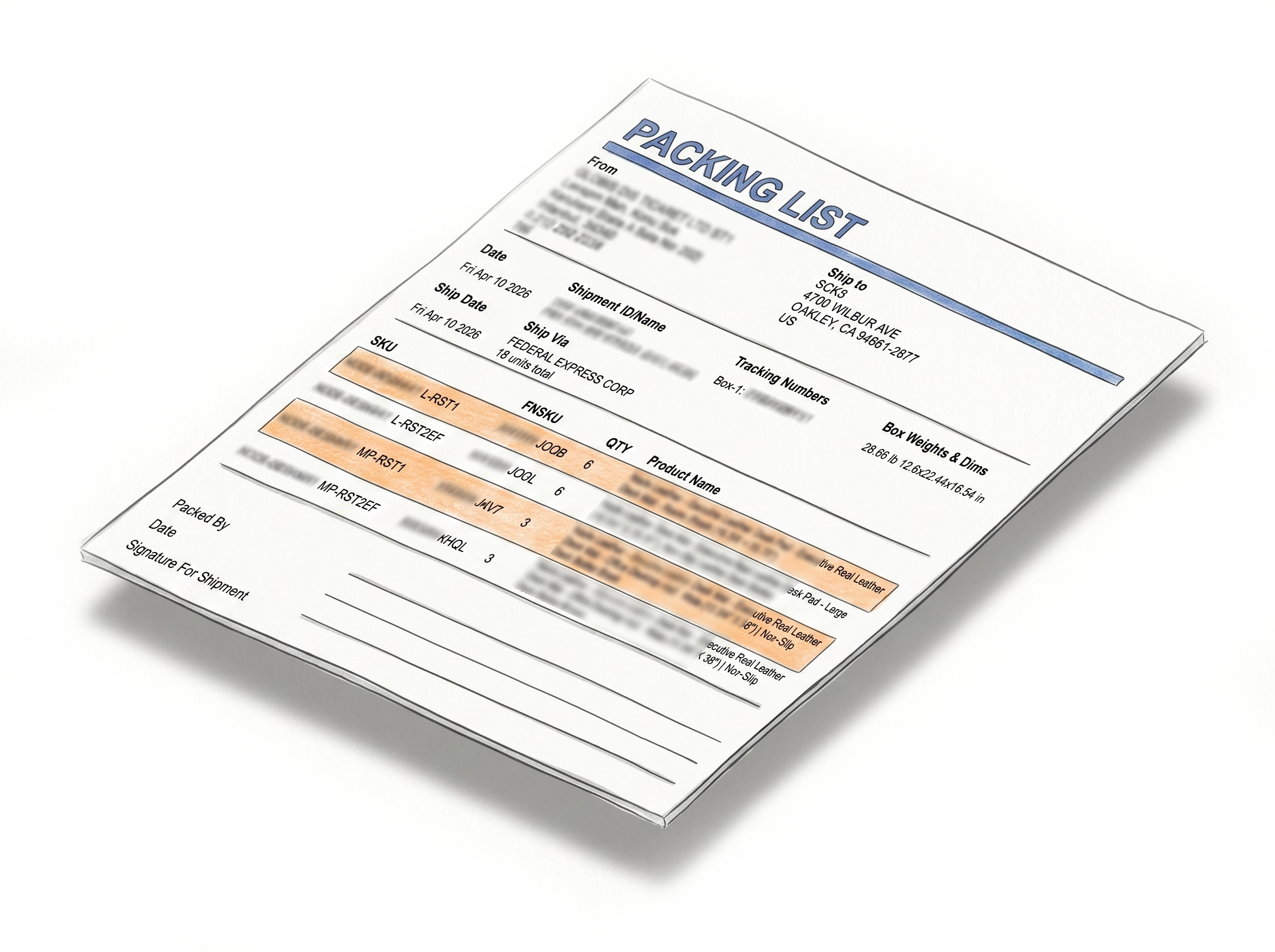
One-click packing slips for reimbursement cases
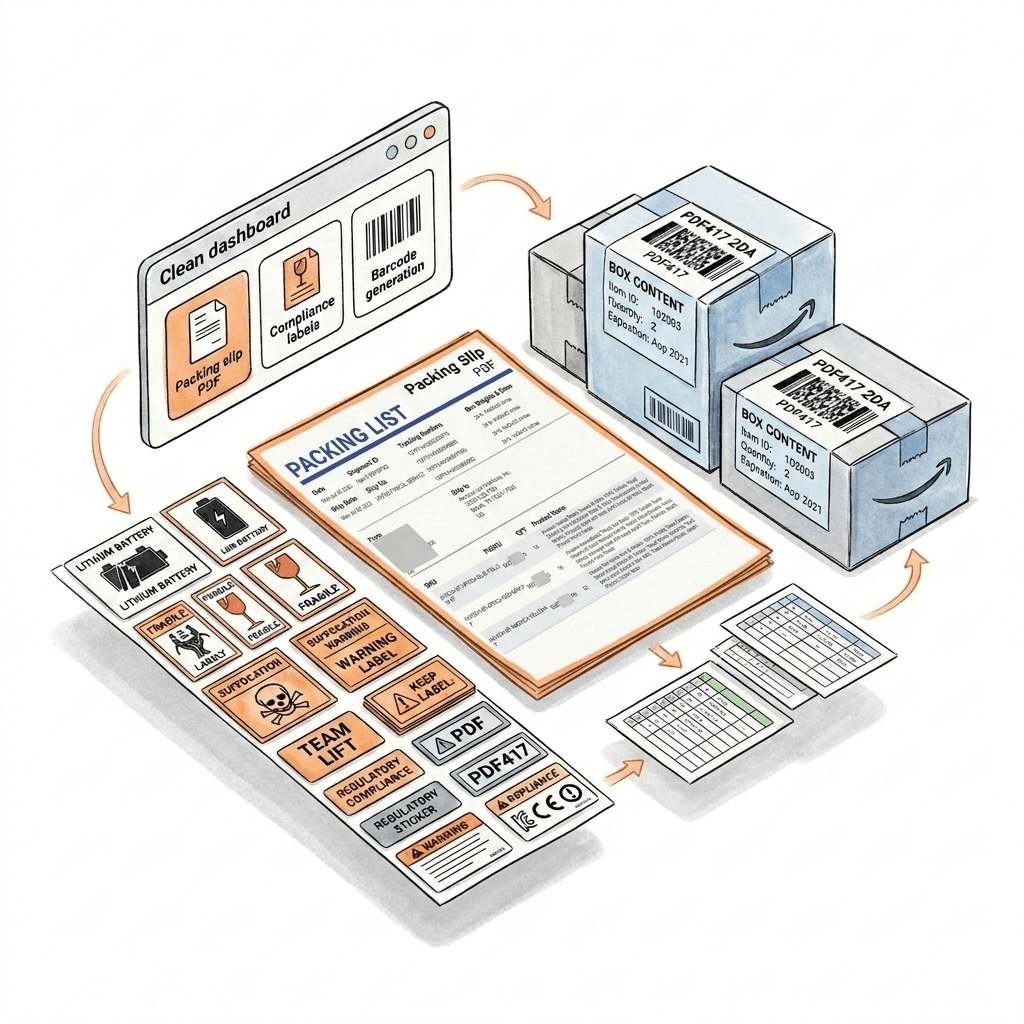
Generate a professional PDF packing slip directly from any shipment in Seller Central - no manual data entry. If Amazon's received quantity doesn't match what you sent, the documentation is ready to open a reimbursement case immediately. Learn more about the Packing Slip Generator
40+ warning and compliance labels
Lithium battery UN codes, Fragile, Suffocation Warning, Team Lift, Proposition 65, and more - formatted to meet Amazon FBA and carrier requirements, in any size you need. Learn more about warning and compliance labels
2D barcodes for box content
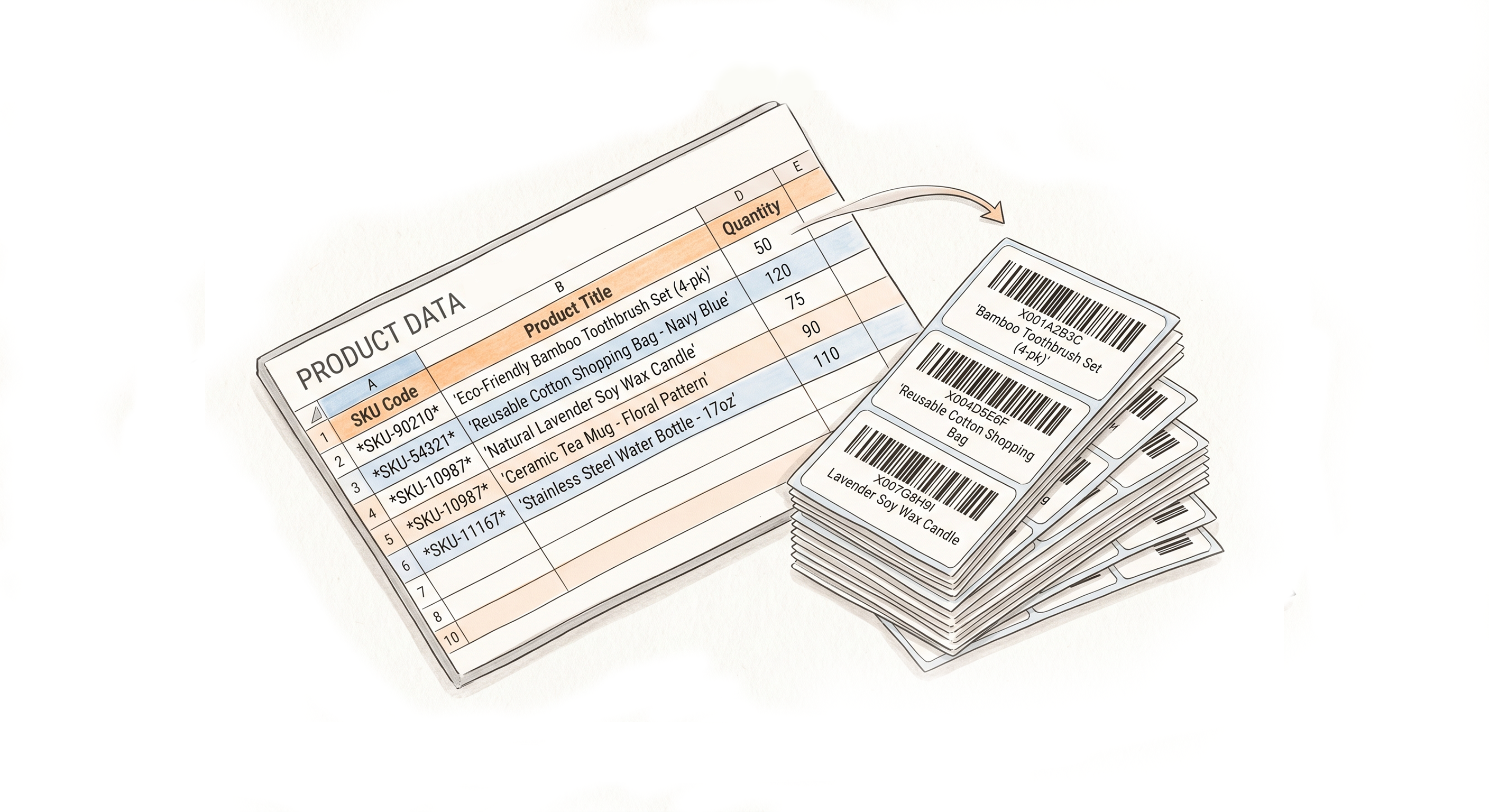
Generate the PDF417 2D barcodes Amazon requires for FBA box content, encoding item ID, quantity, and expiration date - entered manually or uploaded via spreadsheet for bulk generation. Learn more about 2D barcodes for box content
Resize Labels From Every Platform You Ship On
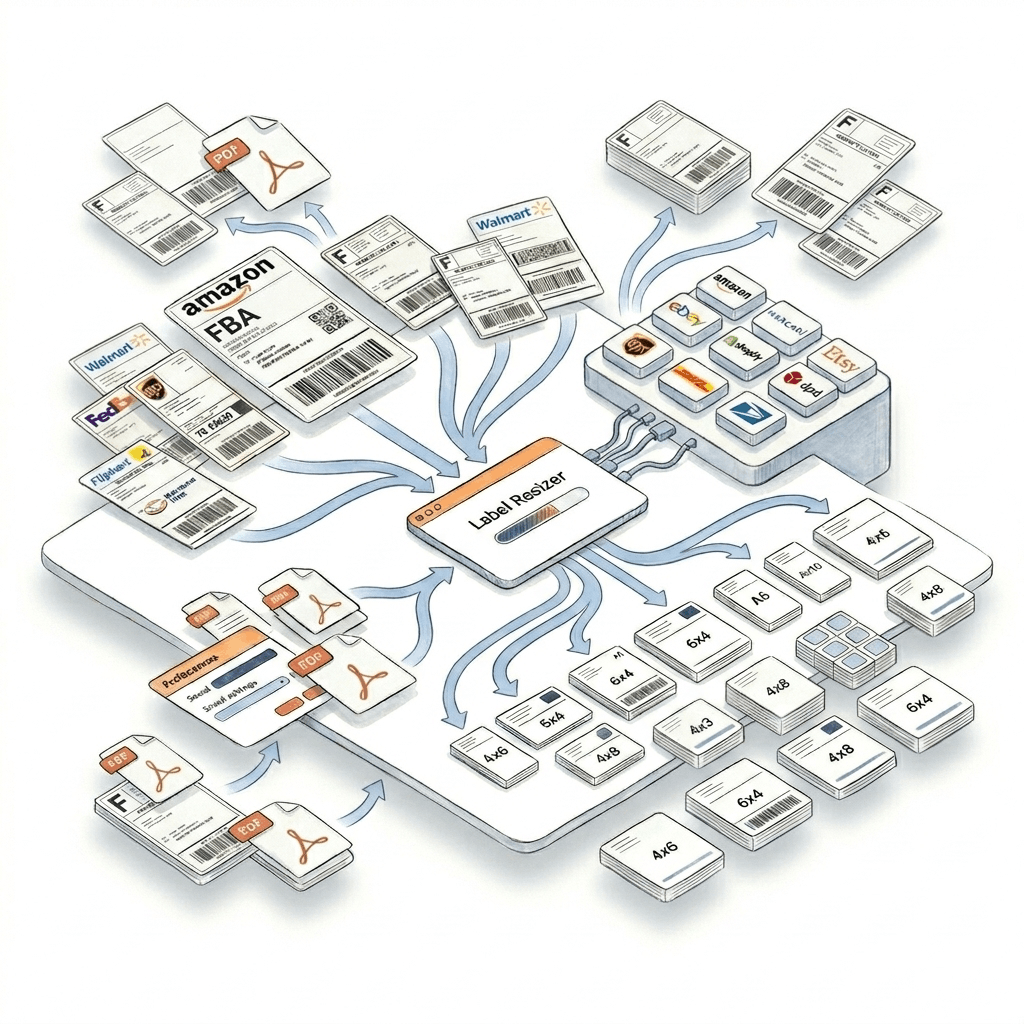
Walmart WFS, UPS, and FedEx - any size you need
Resize Walmart Seller Center, UPS Shipping Manager, and FedEx Ship Manager labels through the Label Resizer extension directly on those platforms, or upload the PDF you downloaded to the web uploader. Either way, your label comes out at the exact size and format you choose. Learn more about the extension
100+ label types from 15+ platforms via the web uploader
Beyond Amazon, Walmart, UPS, and FedEx, the web uploader also resizes labels from USPS, DHL, DPD, eBay, Etsy, Mercari, Flipkart, Shopify, ShipBob, and Mercado Libre - no extension required, just upload the PDF you already have. Learn more about the web uploader
One account, every platform, consistent output
Your size and format preferences are saved once and applied automatically - whether you are resizing an Amazon box label or a FedEx shipping label, the workflow feels the same.
Generate Labels However You Work
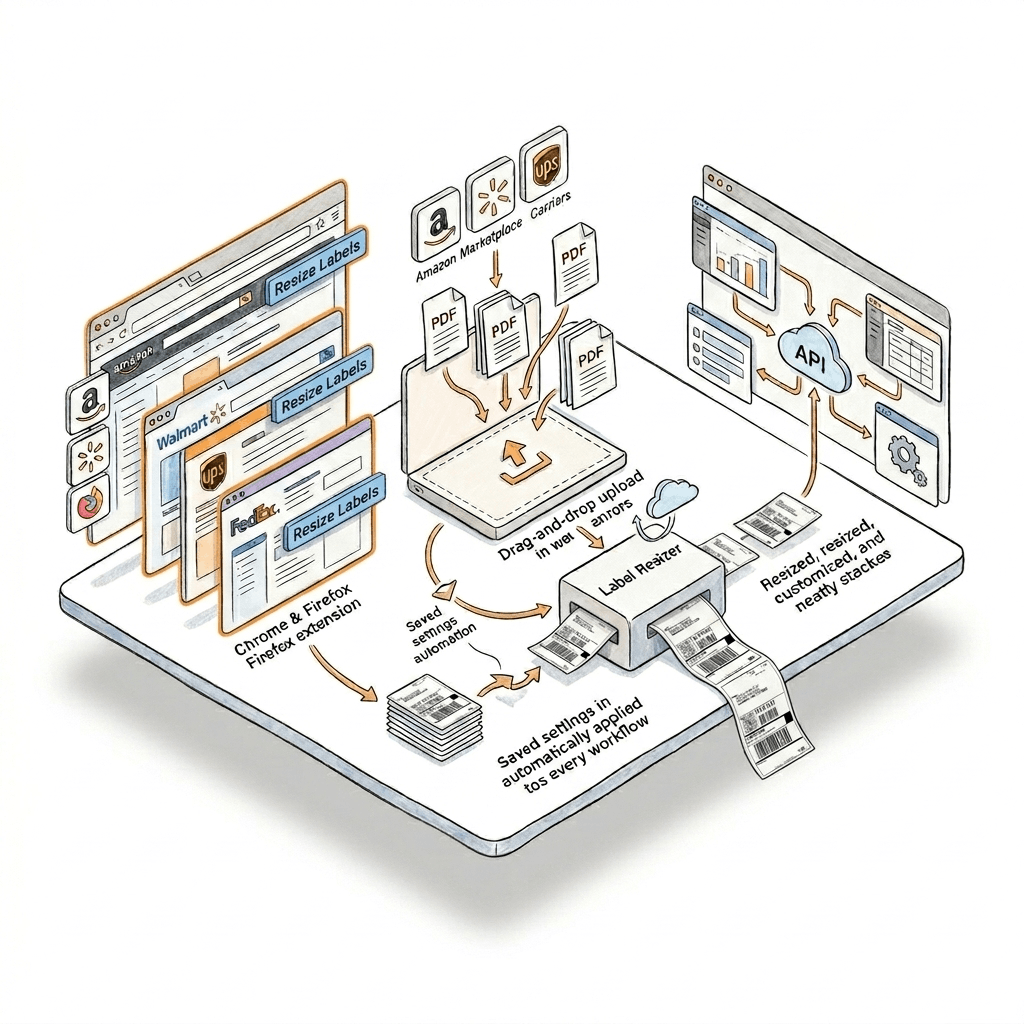
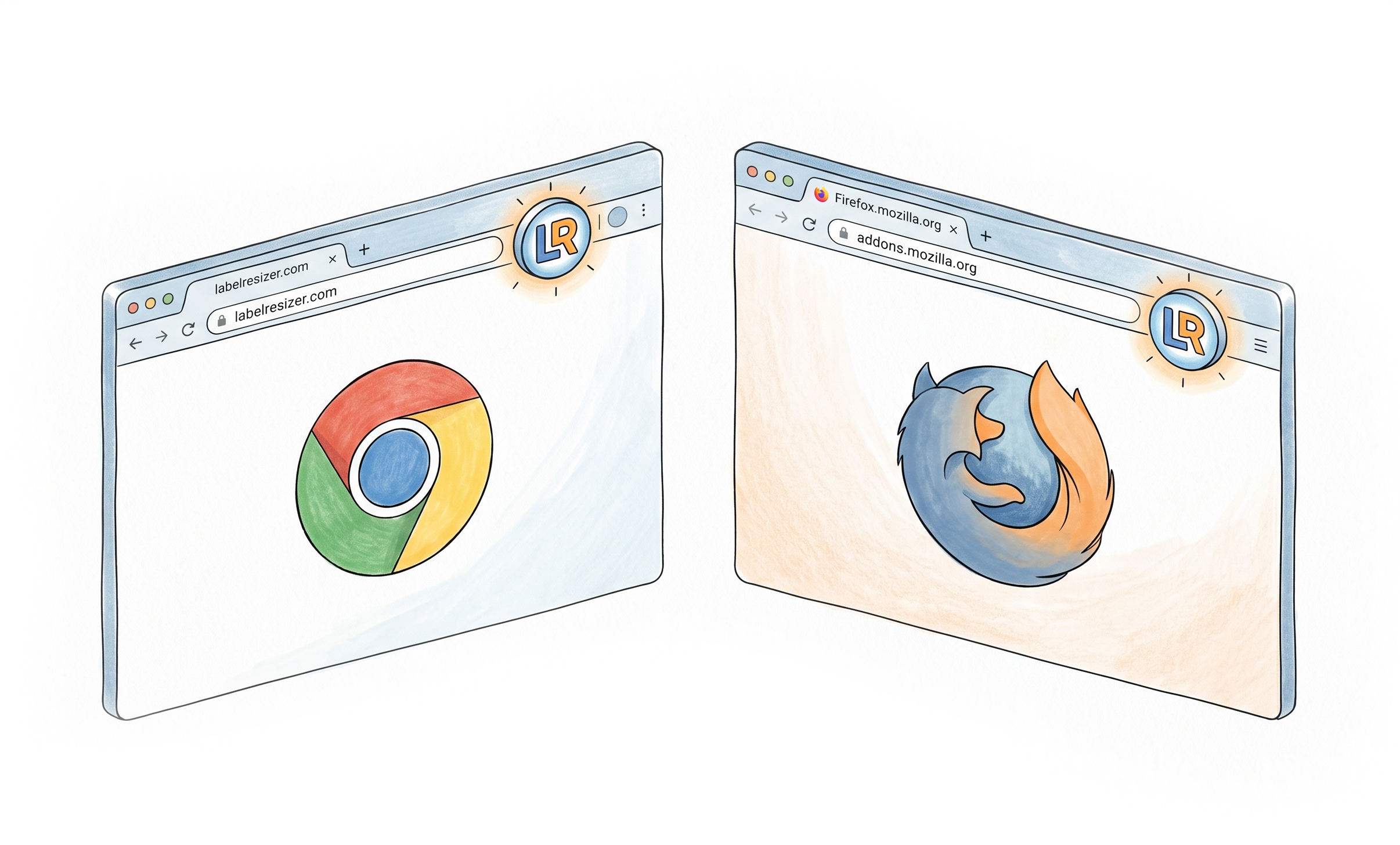
Chrome & Firefox extension - one click on the platform itself
A button appears directly on Send to Amazon, AWD, Walmart Seller Center, UPS, and FedEx pages. Click it and your labels are generated, customized, and ready to print - no downloads, no switching tabs. Learn more about the Chrome & Firefox extension
Web uploader - for downloaded PDFs, from any of 100+ platforms
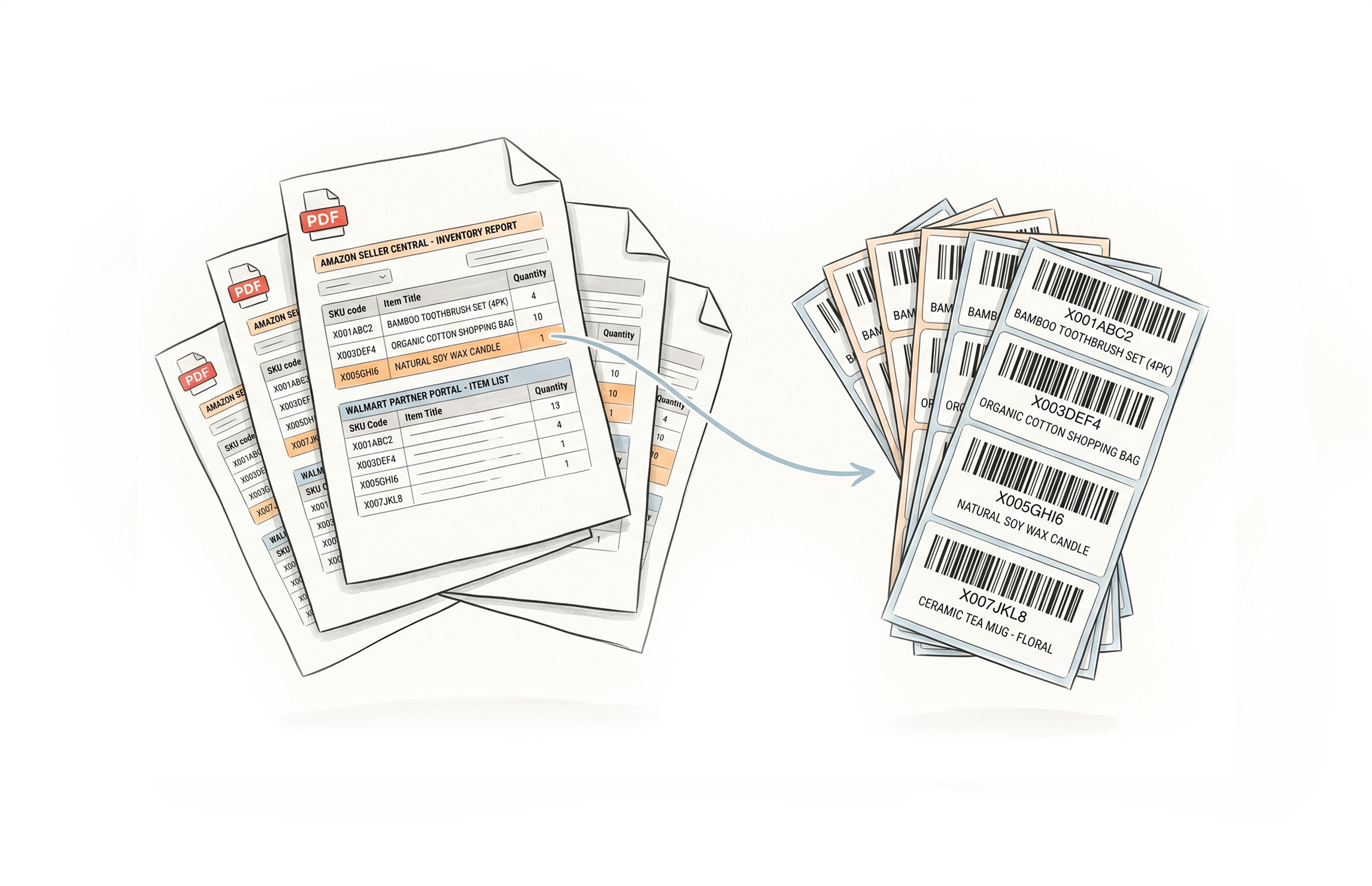
Upload box label, shipment label, or shipping label PDFs you already downloaded from Amazon, Walmart, UPS, FedEx, or 100+ other supported platforms, and get them resized and customized to your saved settings in seconds. Learn more about the web uploader
API - for your own systems
Integrate label generation into your warehouse management system or order processor. Your account settings apply automatically to every API call. Available on Professional and Unlimited plans. Learn more about the API integration
Works Where You Already Work
Generate labels directly inside the marketplaces and shipping platforms you already use.











Everything You Need to Resize Labels
Shipping, Box Label AndPacking Slip Customization
Multiple Ways to Generate

How It Works
Configure your preferences once - every shipment label after that follows the same rules.
Step 1: Configure Shipping Label Settings
Turn on Box ID, SKU & quantity, product title, separators, and free text for Amazon. Set your label size and merge output format. Save once.
Step 2: Generate Your Shipment Labels
Use the Chrome or Firefox extension on Amazon, Walmart, UPS, or FedEx, upload PDFs from any of 100+ platforms through the web uploader, or call the API - labels come out customized automatically.
Step 3: Merge Split Shipments and Add Compliance Labels
If Amazon split your Send to Amazon shipment, merge box labels by SKU in one click. Add warning labels or 2D barcodes for box content as needed, and generate a packing slip if required.
Step 4: Print and Ship
Your labels are organized, accurate, and ready for the warehouse floor - print directly or route to your existing printing setup.
Done!
Choose A Plan
Get 100 Product Labels And 10 Shipping Labels Free Every Month - No Credit Card Needed
Monthly Yearly 2 months free
Frequently Asked Questions
Everything you need to know about labelling Amazon FBA shipments - and shipments on other platforms - with Label Resizer.
What does Label Resizer's Shipment Labelling solution cover for Amazon FBA sellers?
It covers everything printed on or related to your Amazon FBA box and shipment labels - Box ID, SKU & quantity, product title, separators, and free text on box labels; merging split shipment labels by SKU; packing slips; warning and compliance labels; and 2D barcodes for box content. Every feature is built around the Send to Amazon and AWD workflows, each of which can be an SPD or an LTL shipment.
Does Label Resizer support both the Send to Amazon and AWD inbound workflows?
Yes. Send to Amazon (the standard FBA shipment creation flow) and Amazon Warehousing & Distribution (AWD, Amazon's bulk inbound storage program) are both supported, and each can be either an SPD or an LTL shipment. See the compatibility table above for exactly which box label feature works with which combination.
What is the difference between SPD and LTL shipments, and which features support each?
Both Send to Amazon and AWD shipments can be created as either SPD (Small Parcel Delivery, individually boxed parcels) or LTL (Less Than Truckload, palletized freight). Product title, separators, and free text work with SPD and LTL under both workflows. Box ID and SKU & quantity are currently available for SPD shipments only, under both workflows. Merging split shipment labels by SKU works for both SPD and LTL, but only within the Send to Amazon workflow, printing the Fulfillment Center code on LTL labels.
How does Label Resizer handle Amazon's split shipments?
When Amazon splits an FBA shipment created through Send to Amazon across fulfillment centers, box labels for the same SKU end up scattered across separate PDFs. Label Resizer merges them, groups them by SKU, sorts alphabetically, and inserts separator labels between SKU transitions - producing a single sorted PDF or a ZIP with one PDF per SKU. Both SPD and LTL shipments are supported, with the Fulfillment Center code printed on LTL labels.
Can I generate packing slips for FBA reimbursement cases?
Yes. The Packing Slip Generator creates a PDF packing slip directly from any shipment in Amazon Seller Central with one click - no manual data entry. It's the documentation you need when opening a reimbursement case for missing or damaged inbound items.
Are warning and compliance labels included in this solution?
Yes. The Warning Label Maker generates 40+ industry-standard labels across 14 categories - including lithium battery UN codes, Fragile, Suffocation Warning, Team Lift, and Proposition 65 - formatted to meet Amazon FBA and carrier requirements.
What is the Amazon 2D Barcode Maker used for?
It generates the PDF417 2D barcodes Amazon requires for FBA box content - encoding item ID, quantity, and expiration date for each box. You can enter items manually or upload a spreadsheet for bulk generation.
Can I resize Walmart, UPS, or FedEx shipping labels the same way?
Yes. Walmart Seller Center, UPS Shipping Manager, and FedEx Ship Manager labels can be resized to any dimension you need through the same Label Resizer extension you use on Amazon, or by uploading the PDF to the web uploader.
Which other platforms does the web uploader support besides Amazon, Walmart, UPS, and FedEx?
The web uploader recognizes over 100 label types across 15+ platforms, including USPS, DHL, DPD, eBay, Etsy, Mercari, Flipkart, Shopify, ShipBob, and Mercado Libre - no browser extension required.
Which ways can I generate shipment labels, and do I need a paid plan?
You can generate labels through the Chrome & Firefox extension, the web uploader, or the API. The free plan includes a monthly allowance of product and shipping labels, enough to try most features. The Packing Slip Generator and API access require a Professional or Unlimited plan. No credit card is required to start a free trial.