
The Complete Product Labeling Solution for E-Commerce Sellers
Label Resizer's Product Labeling solution provides the product labels that e-commerce sellers and warehouses need - Amazon FBA and Walmart WFS sellers first and foremost, but eBay, Etsy, Shopify and any other platform just as well.
Full titles, Merchant SKU, custom free text, item numbering, and separators between SKU groups: extra features built to speed up your workflow and stop errors before they happen.
Any size you need, from thermal labels to Avery style sheet labels.
Stop Cross-Referencing - Put the Information on the Label
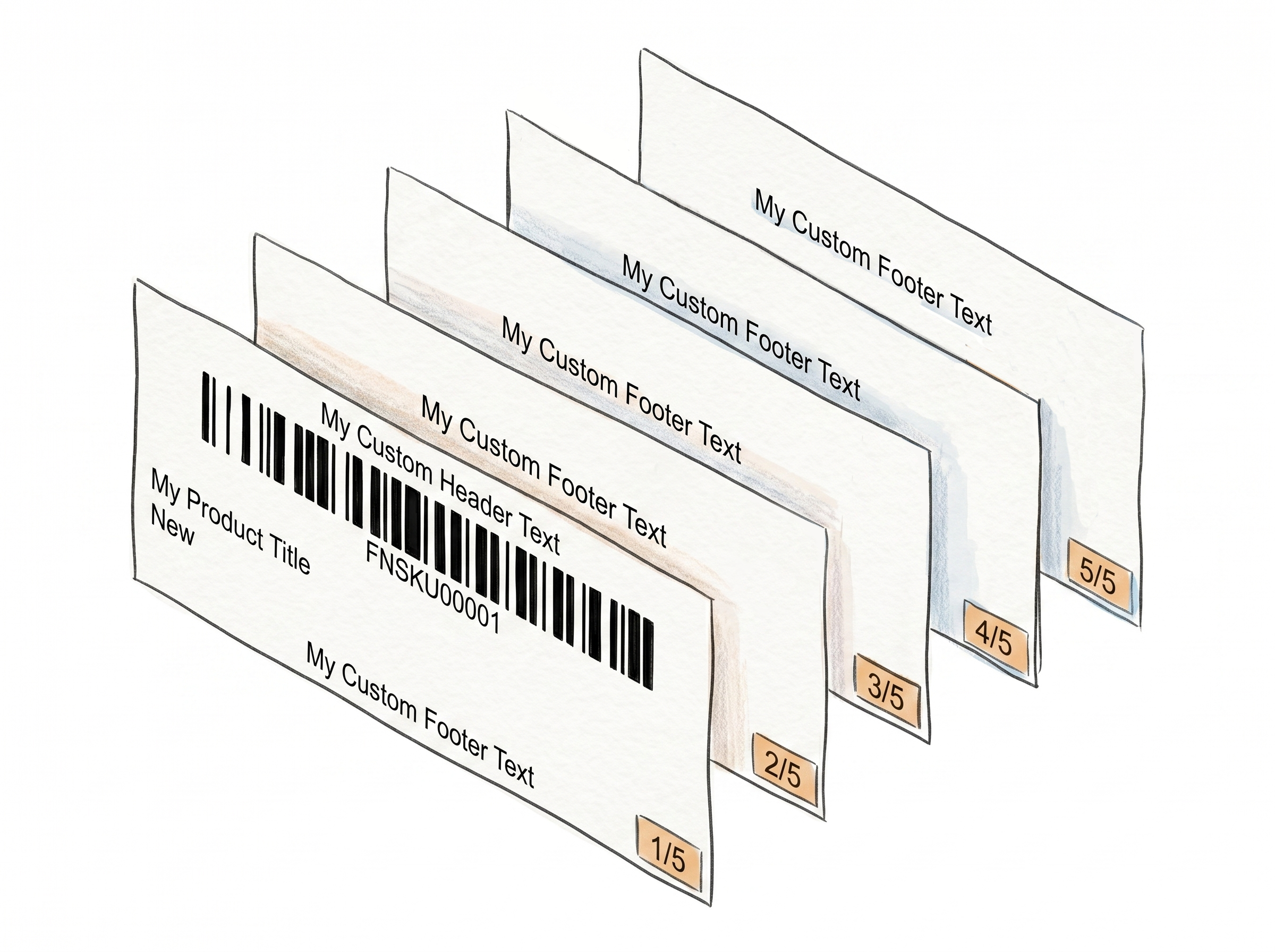
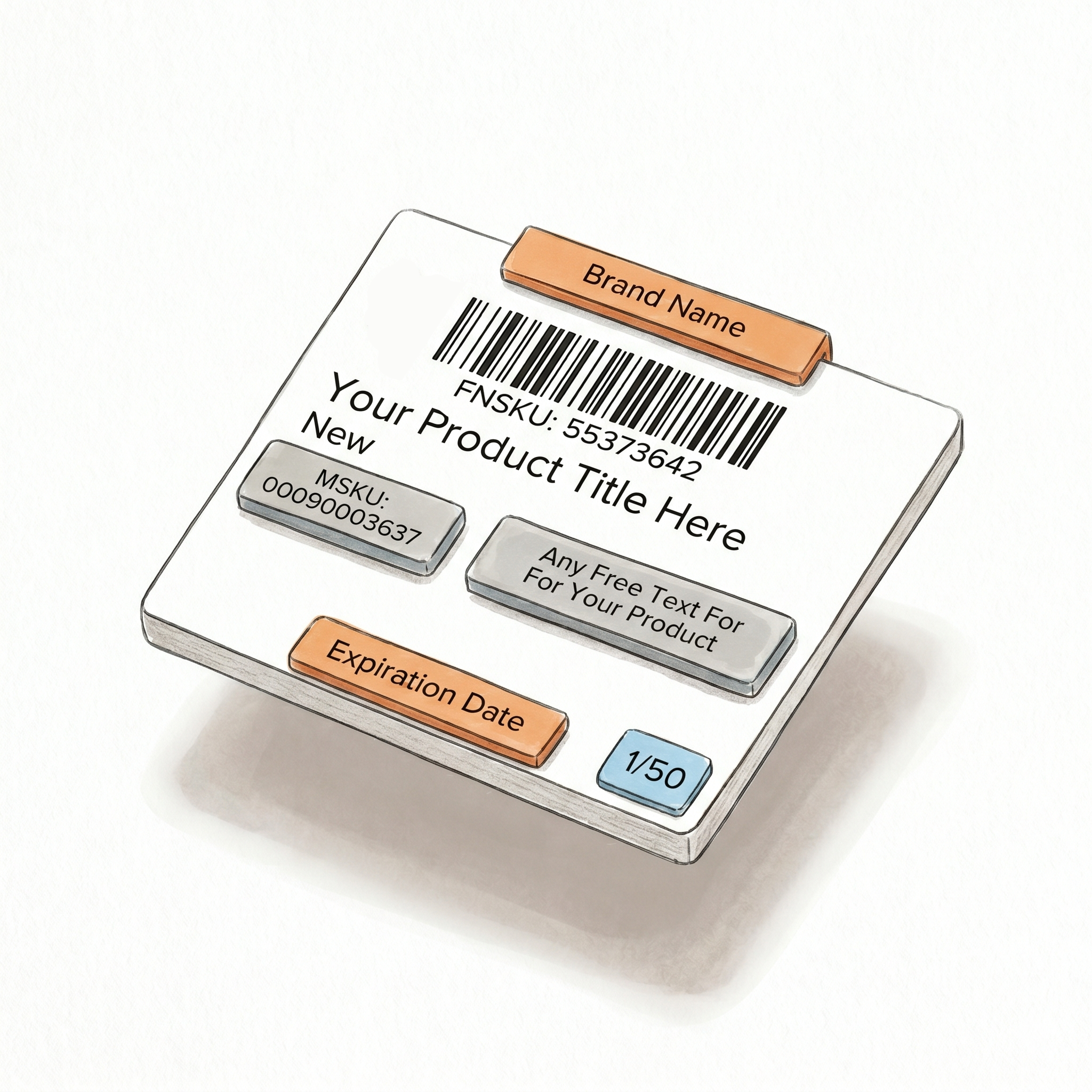
Five features, one consistent label
Each one is an independent setting - turn on exactly what your workflow needs, nothing more.Full product titles, never truncated
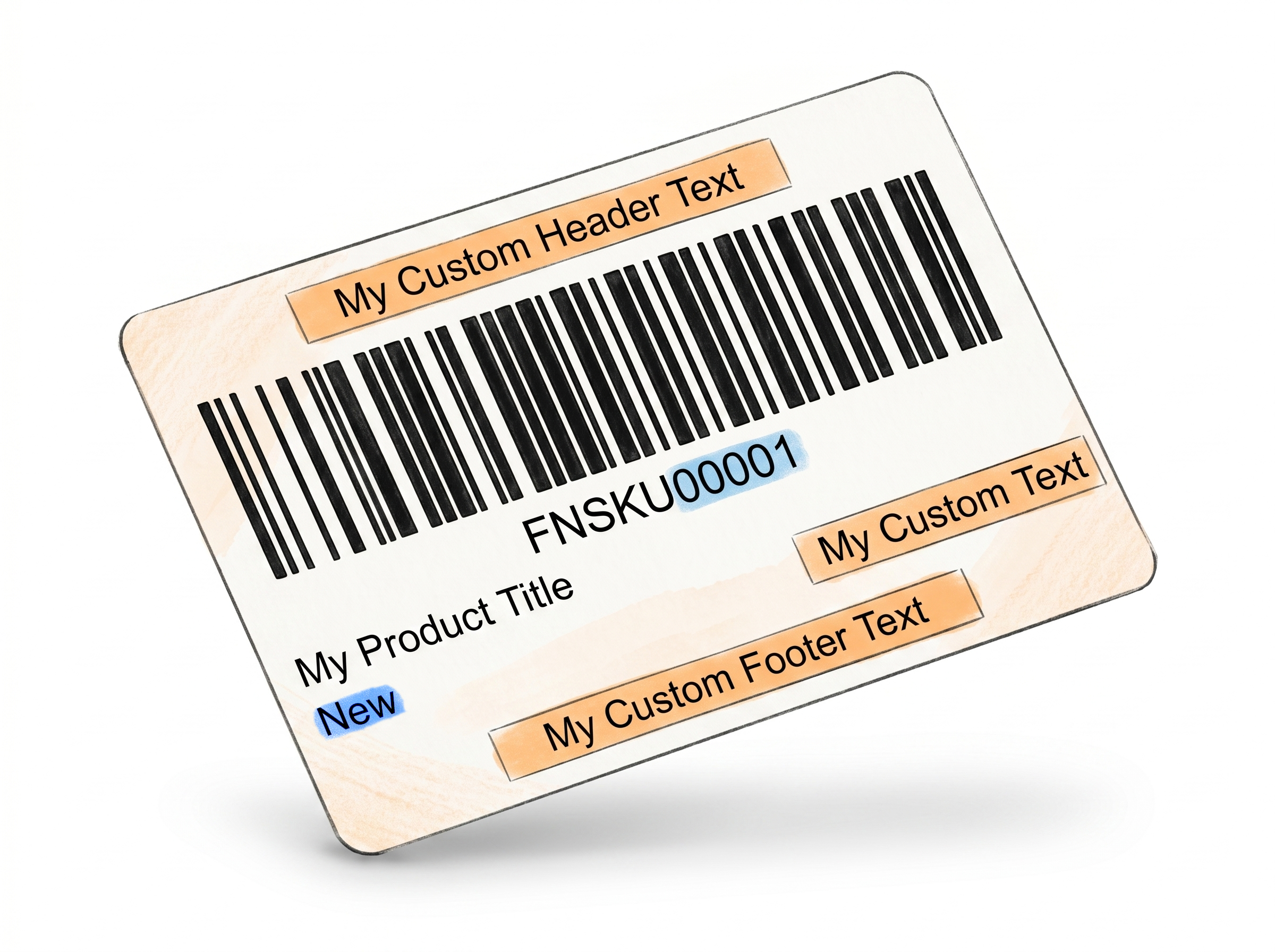
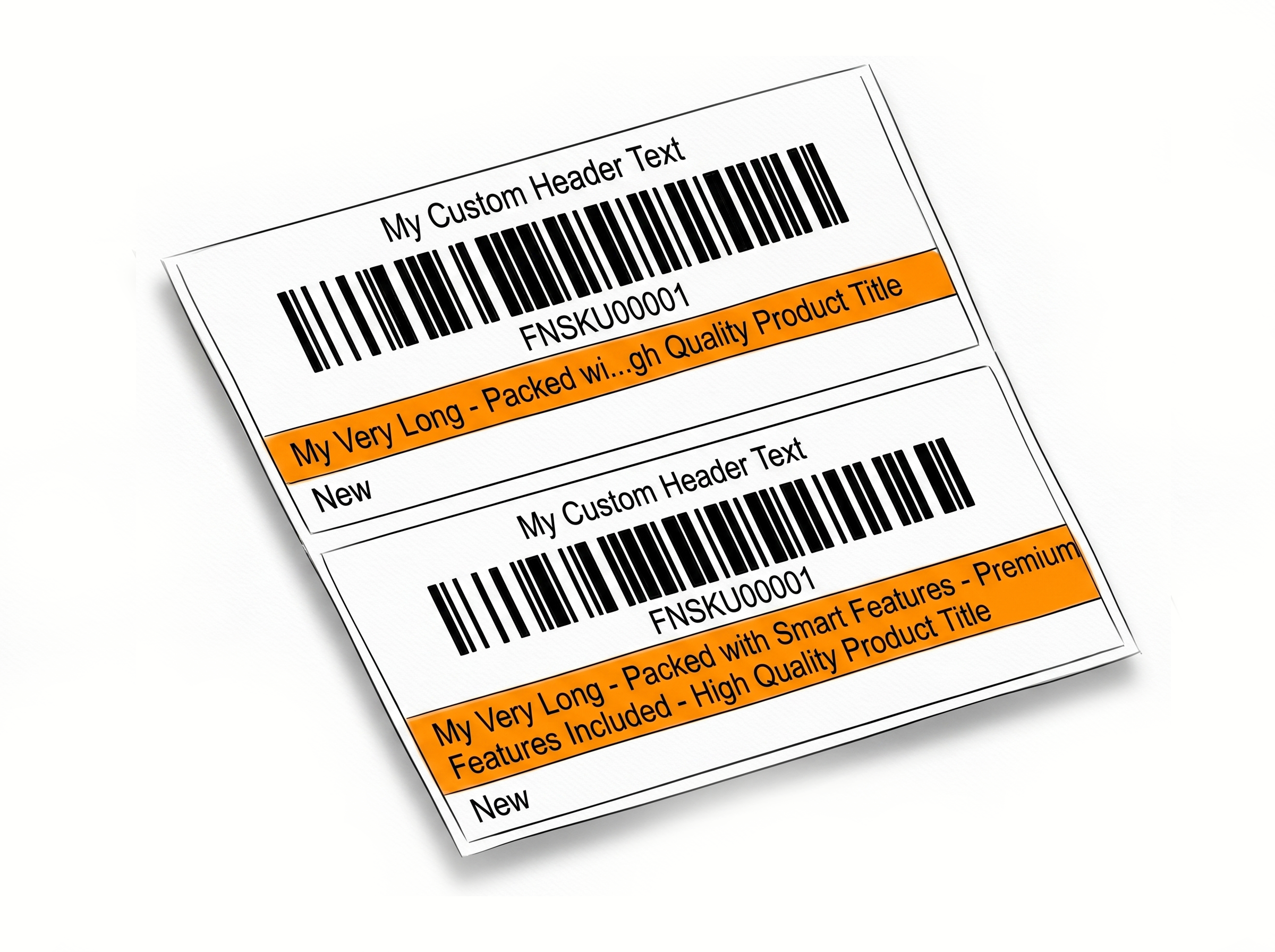
Marketplaces like Amazon and Walmart cut off long product names by default. Print Complete Title pulls the full listing name and fits it on the label with automatic font scaling, so staff identify products by sight. Learn more about printing full product titles
Merchant SKU on every label
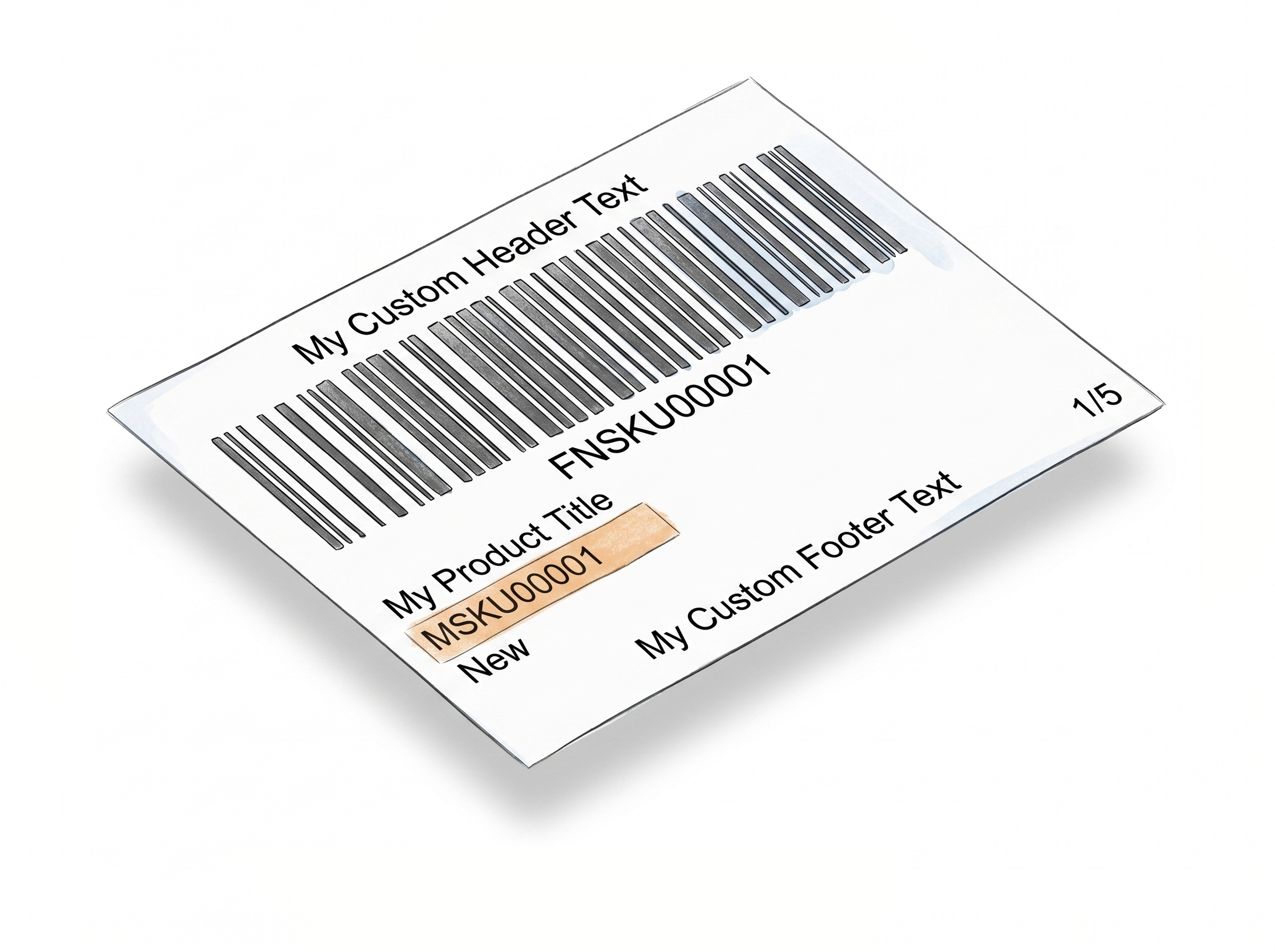
Add SKU prints your full MSKU on its own line below the title - no truncation, no manual entry. The exact SKU your warehouse already works with, right on the label itself. Learn more about adding Merchant SKU to labels
Custom text wherever you need it
Free Text adds expiration dates, brand names, country of origin, or compliance warnings to the header, footer, or condition zone - typed once, applied to every label automatically. Learn more about adding free text to product labels
Built for multi-SKU, multi-unit shipments
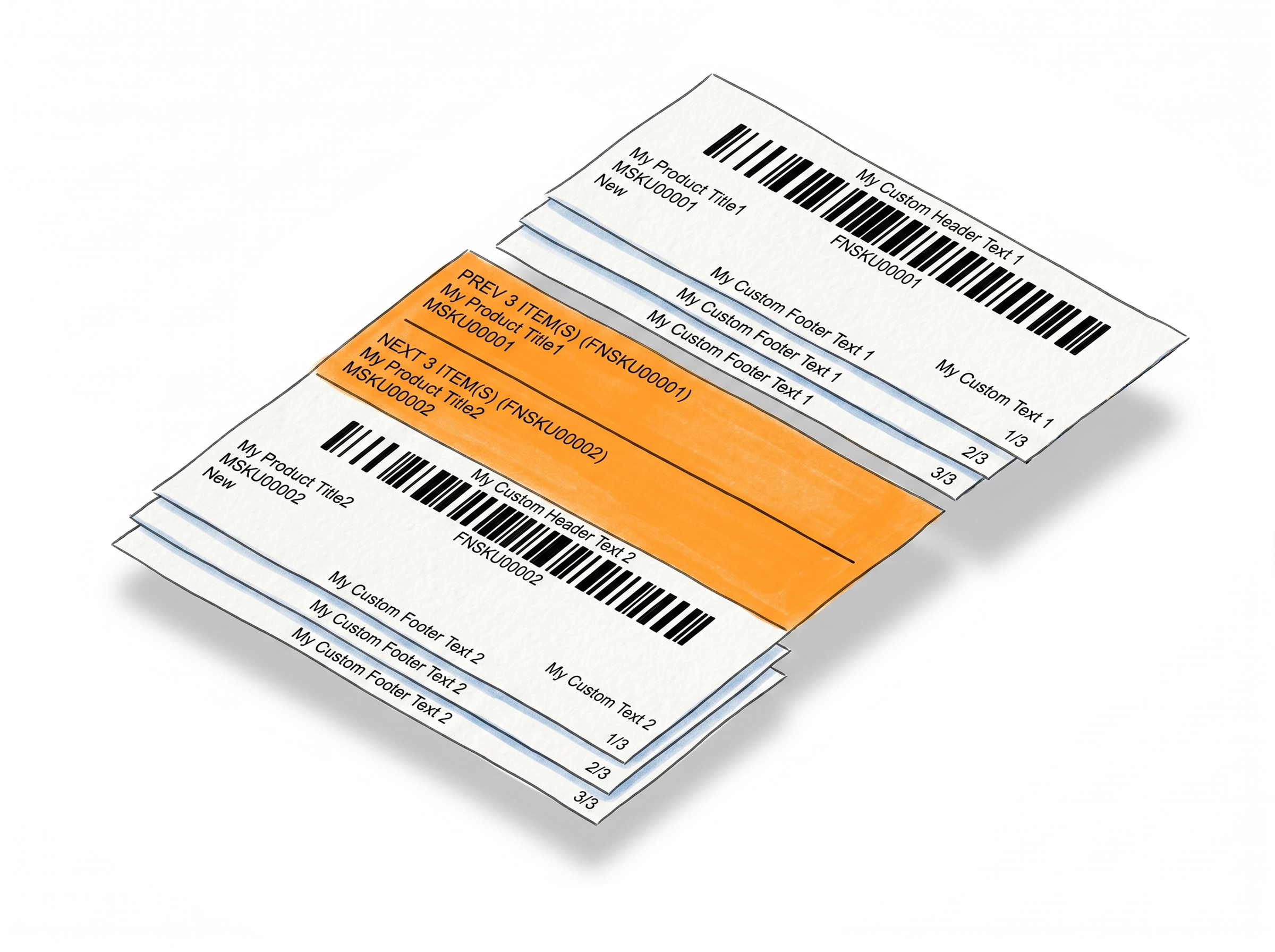
Item Numbering and Separator Labels keep large, mixed batches organized - sequential counts to verify quantities, and clear breaks between SKU groups to prevent wrong-label mistakes. Learn more about Numbering · Learn more about Separators
Fewer Picking Errors, Faster Prep, Cleaner Audits
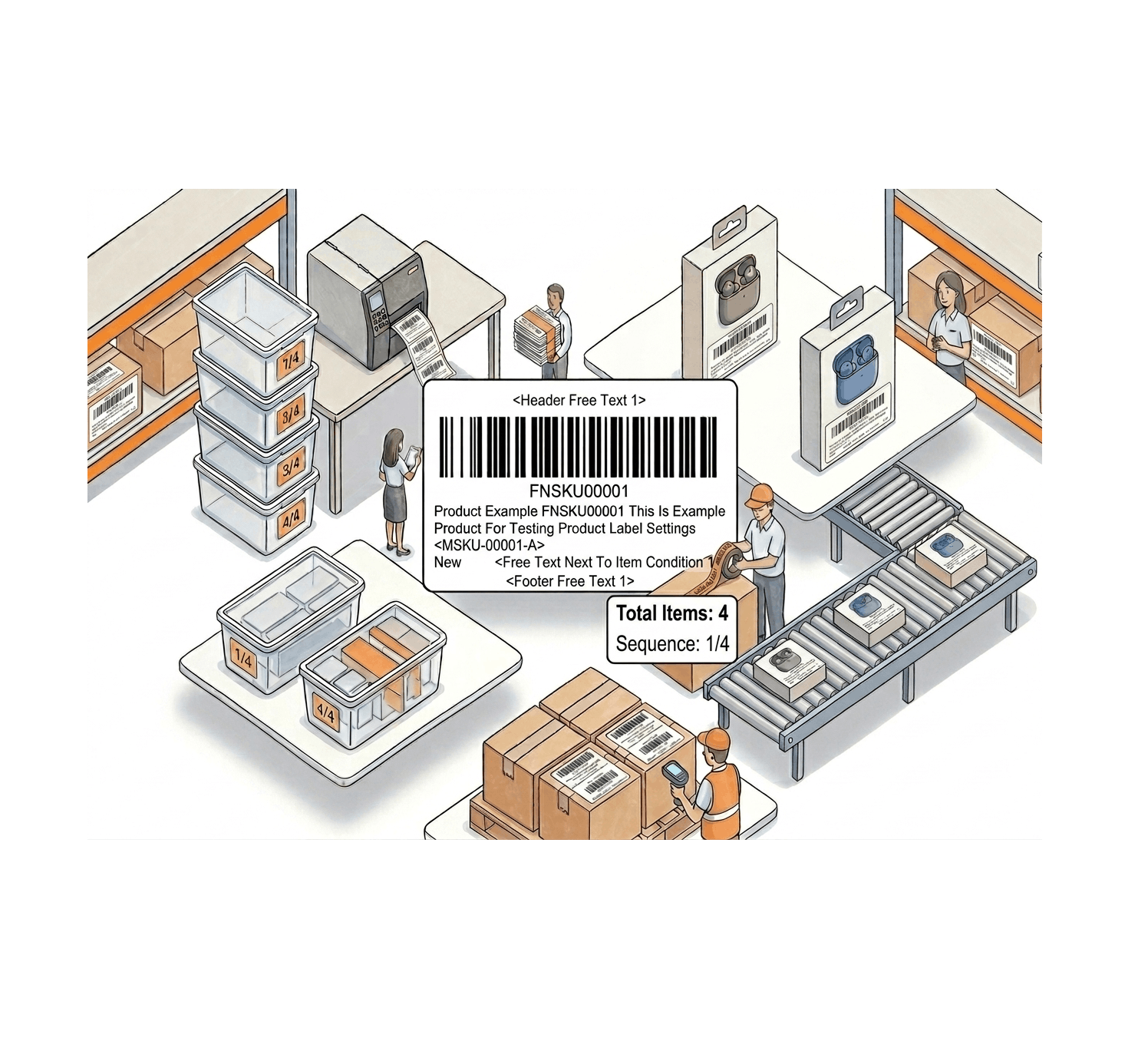
Less guesswork at every stage of prep - from labeling table to dispatch.
Identify products without scanning
When the full title and MSKU are both printed on the label, staff can match products to boxes on sight - no cross-referencing your seller account, no scanning every unit to confirm.
Catch missing units before they ship
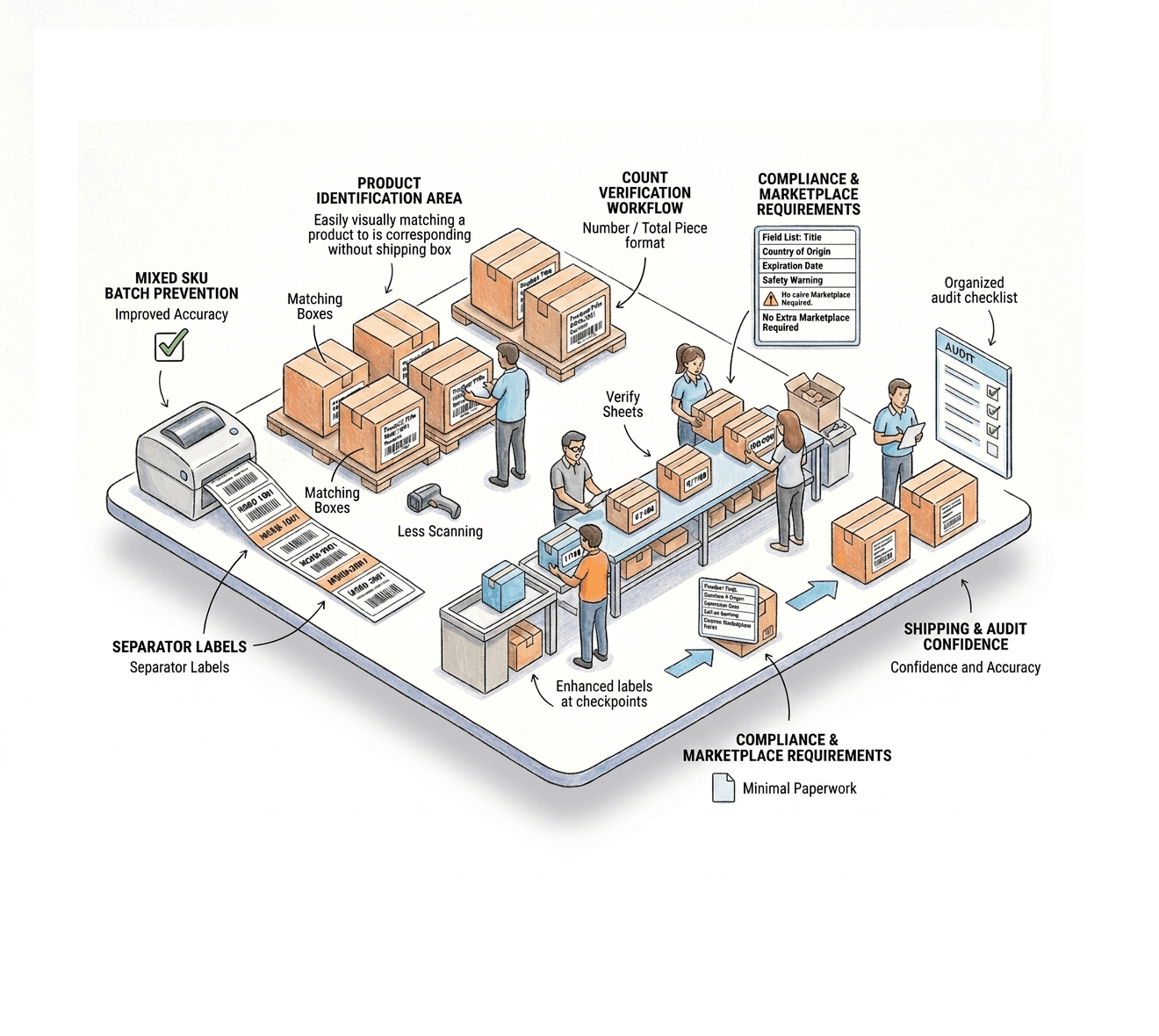
Number/Total Piece numbering (e.g. 47/100) gives you a built-in count check at every stage of a shipment - labeling, boxing, and dispatch - without adding a separate counting step.
Eliminate wrong-label mistakes in mixed batches
Separator labels mark the exact transition point between SKU groups in a batch PDF, so the most common and costly prep mistake - applying the wrong label - has nowhere to happen.
Meet marketplace and compliance requirements
Free Text covers the warnings, dates, and origin information marketplaces sometimes require, directly on the label - no separate stickers or pre-printed packaging needed.
Generate Labels However Your Workflow Works
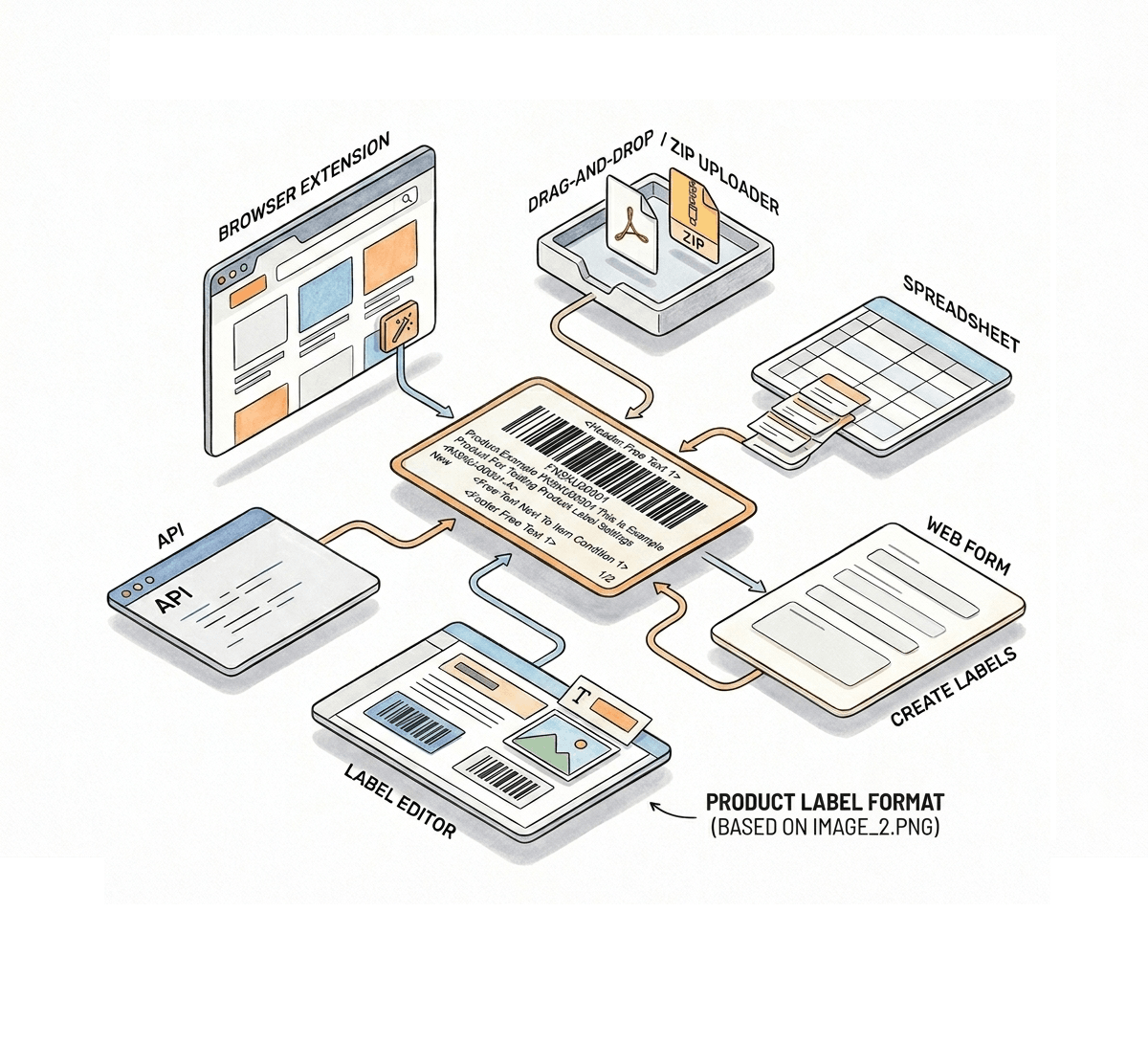
Six ways in, one consistent label out - your settings follow you across every platform.
Browser Extension - one click, no tab switching
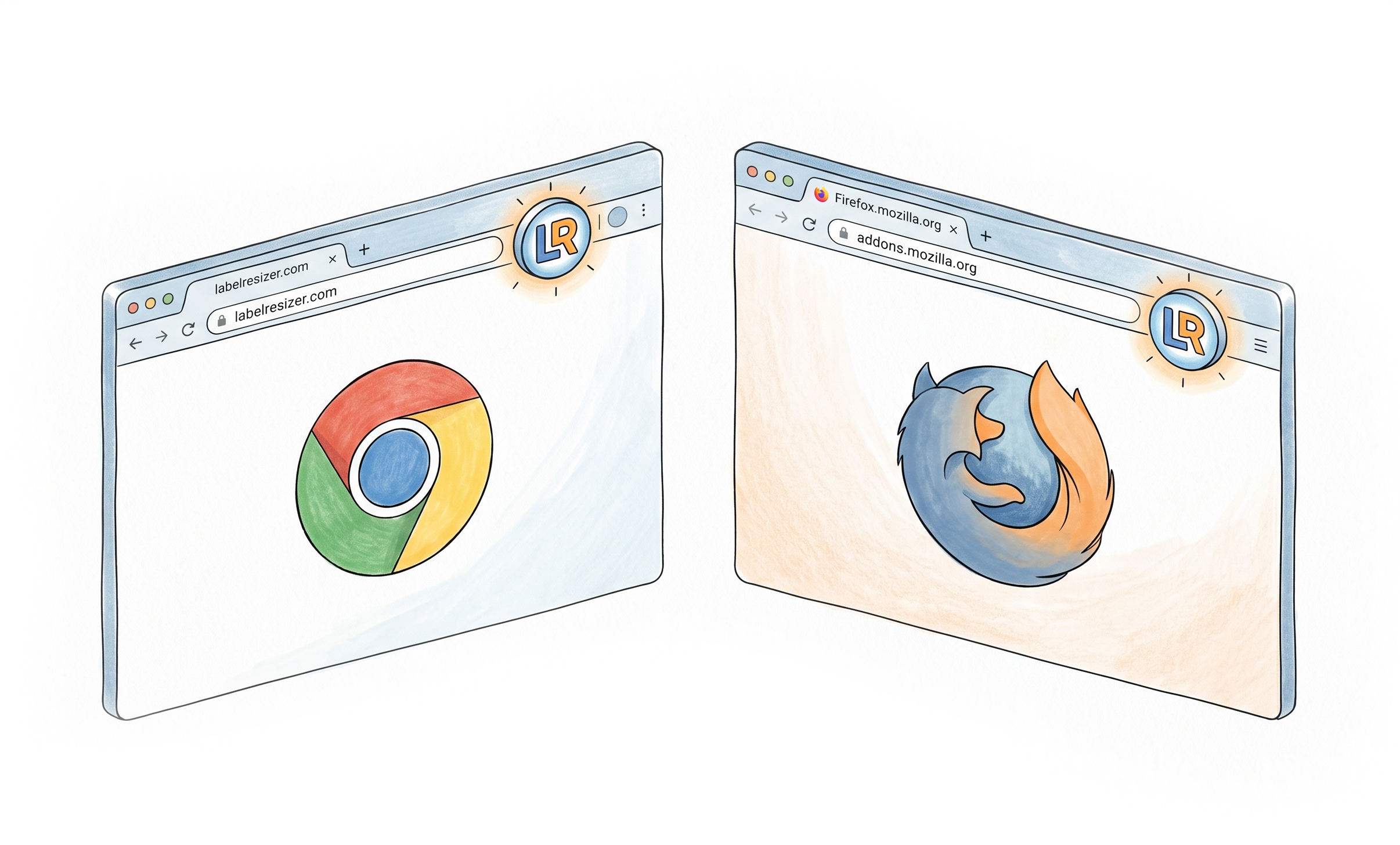
A single button on Amazon Seller Central, Walmart Seller Center, FedEx, UPS, and Mercari resizes and enriches your labels with every setting you have enabled, without leaving the page. Learn more about the browser extension
Web Uploader - for PDFs you already downloaded
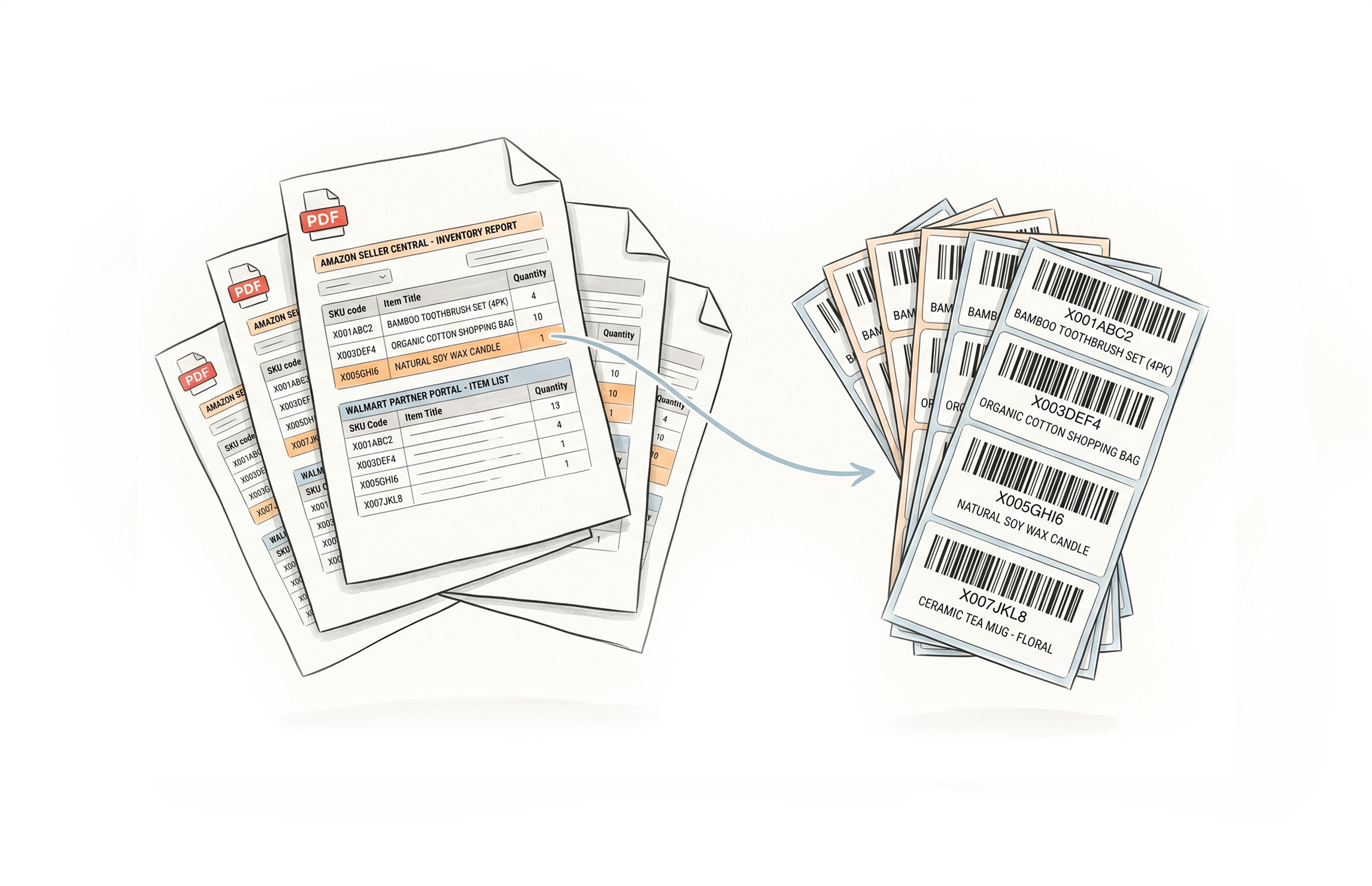
Drop in a label PDF or ZIP from Amazon, Walmart, UPS, FedEx, USPS, DHL, eBay, Etsy, Shopify, Mercari, and 100+ other label types. Label Resizer applies your product labeling settings and returns the resized, enriched output. Learn more about the PDF web uploader
Spreadsheet - build labels from your own data
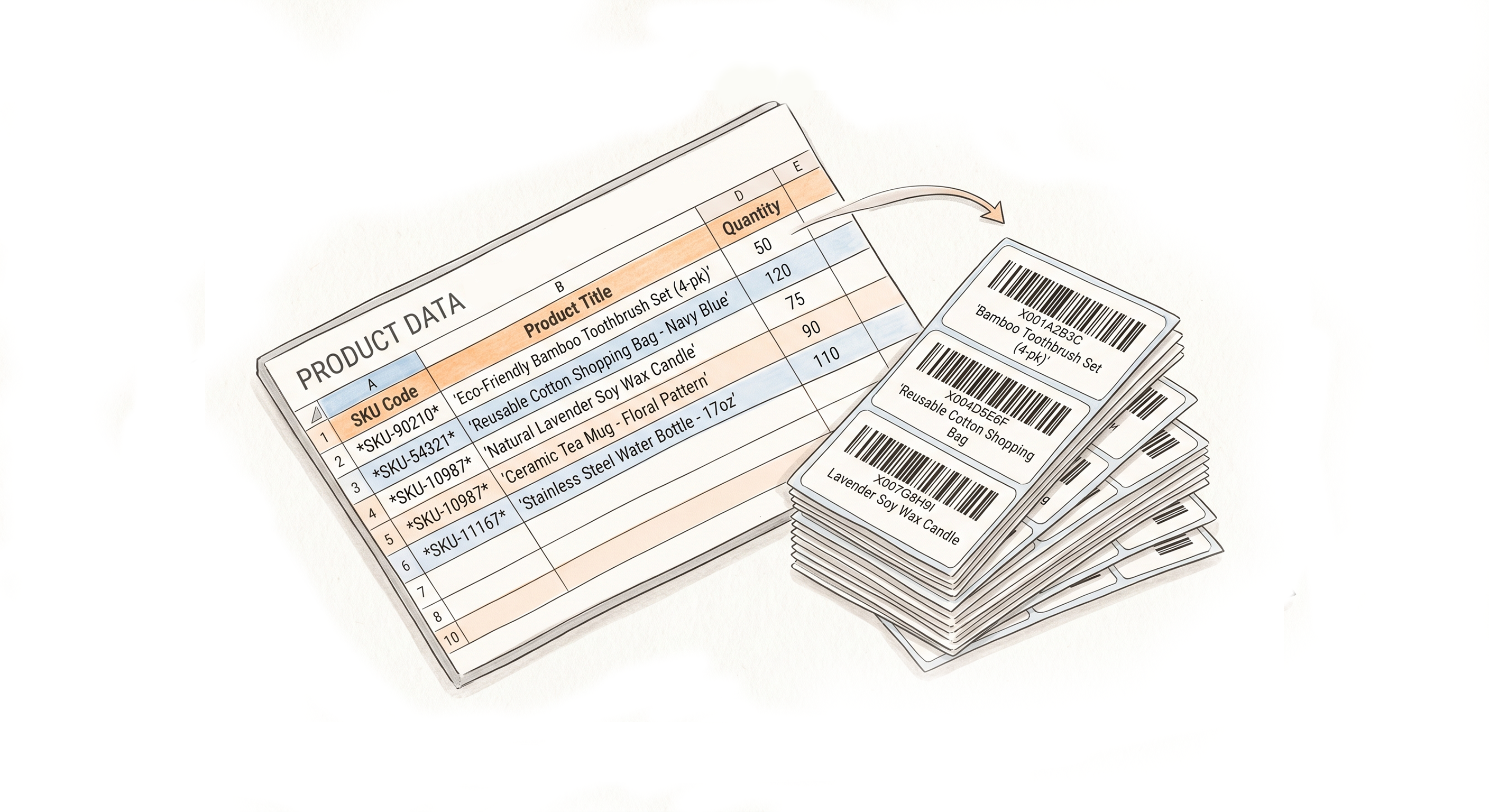
No platform PDF required. Fill in the template with your codes, quantities, and free text values, then upload - labels generate directly from your data, whatever platform you sell on. Learn more about generating labels from a spreadsheet
Web Form - for a handful of labels right now
No file to prepare at all. Type your code, title, MSKU, and free text straight into a form and generate print-ready labels on the spot - ideal when you just need a few. Learn more about the web form for FNSKU labels
Label Editor - design your own template
Build a custom label on a visual canvas with text, images, and barcodes. Smart Fields auto-map to Amazon and Walmart data, or pull from your own spreadsheet for anything else. Learn more about the Label Editor
API - automate it inside your own systems
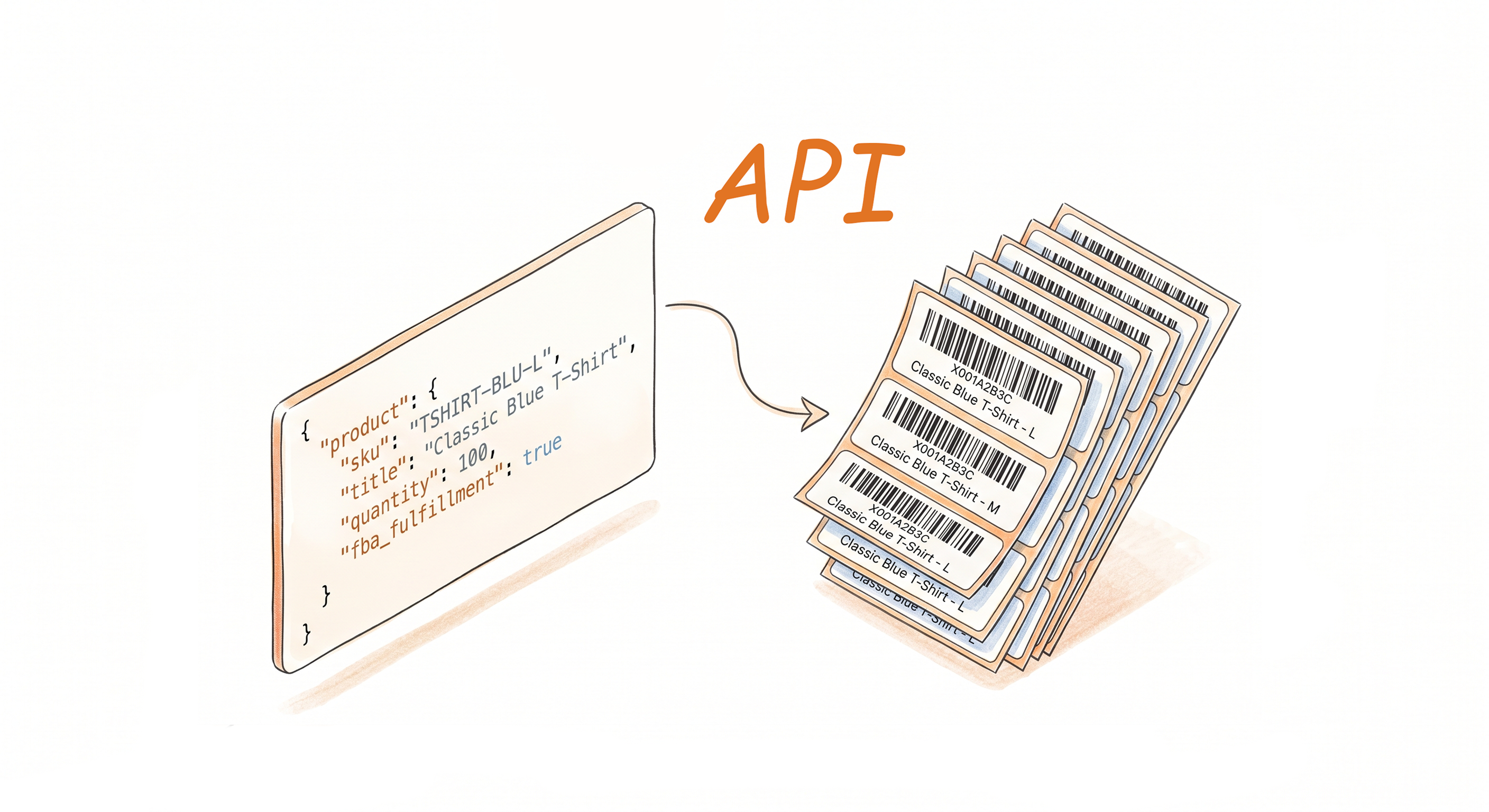
Generate product labels programmatically with your account settings applied automatically, plus the ability to pass header, footer, and separator text per call. Learn more about the API integration
A Few Other Helpful Tools - No Amazon or Walmart Account Needed
If a tool needs a specific marketplace, we say so - everything else here works regardless of where you sell.
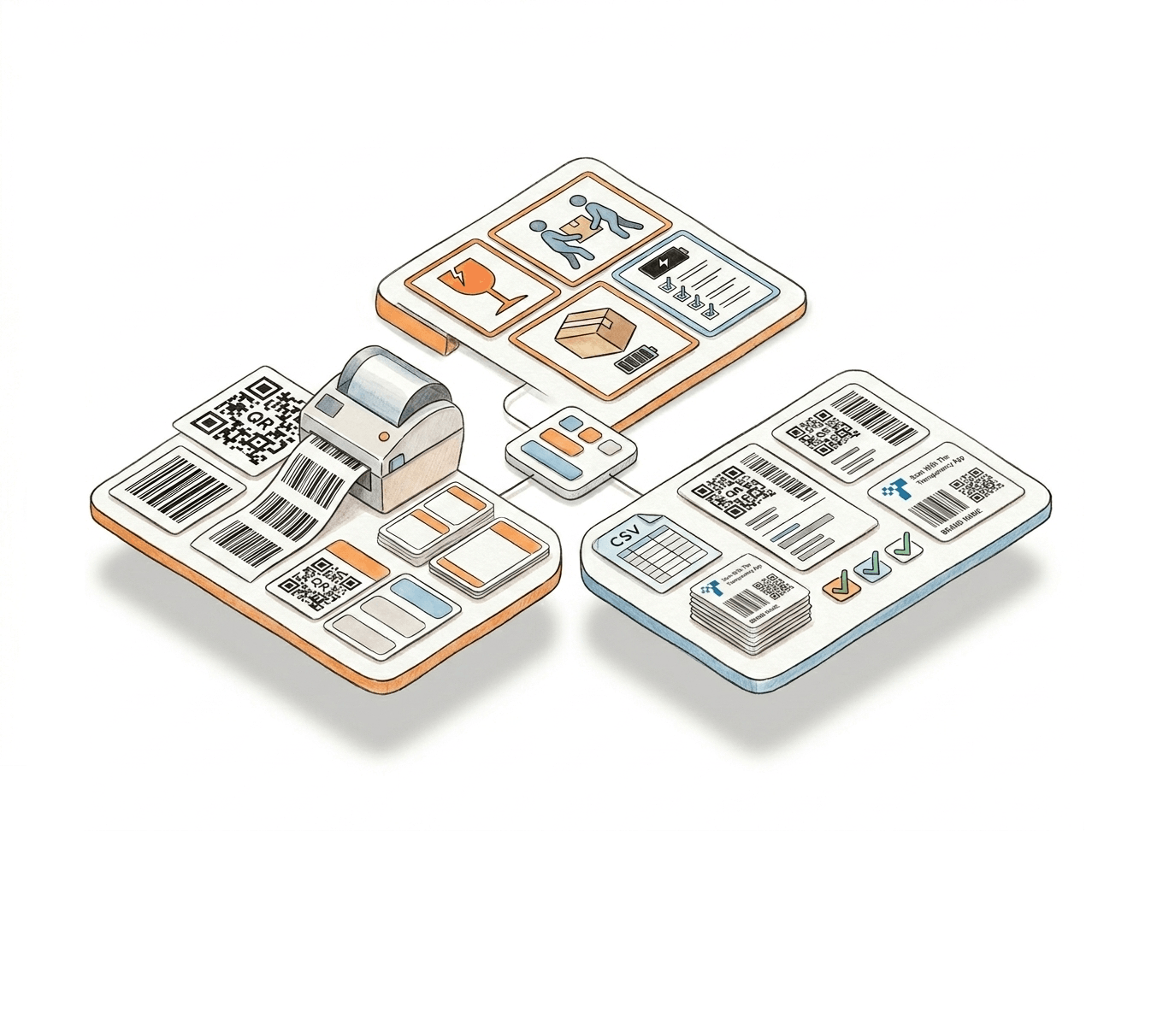
Barcode Label Maker for 15+ symbologies
Generate UPC, EAN, Code 128, Code 39, QR Code, Data Matrix, and more from a simple web form - for retail packaging, internal warehouse tracking, or any non-marketplace use case. Learn more about the Barcode Label Maker
Warning Label Maker for shipping compliance
Create Fragile, Suffocation Warning, Team Lift, Proposition 65, and lithium battery (UN3480/UN3481/UN3090/UN3091) labels that meet carrier and regulatory requirements - independent of which marketplace you sell on. Learn more about the Warning Label Maker
Transparency Label Maker for brand protection
Generate Amazon's anti-counterfeiting Transparency labels from your codes via manual entry or bulk CSV upload, with custom branding - purpose-built for this one Amazon program. Learn more about the Transparency Label Maker
How It Works
Configure once in Product Label Settings, then generate labels however you prefer.
Step 1: Enable the Features You Need
Go to Product → Product Label Settings in your Label Resizer dashboard. Toggle on Complete Title, Add SKU, Free Text, Numbering, and Separator individually - only what your workflow requires.
Step 2: Generate Labels Through Your Preferred Method
Use the browser extension on Amazon or Walmart, upload a label PDF, upload your own spreadsheet, or call the API. Every method applies your saved product labeling settings automatically.
Step 3: Labels Ready, Fully Customized
Your labels download with the full title, MSKU, free text, numbering, and separators already in place - print-ready, no manual edits, no post-processing.
Done!
Everything You Need to Resize Labels
Product Label Customization
Multiple Ways to Generate
Choose A Plan
Get 100 Product Labels And 10 Shipping Labels Free Every Month - No Credit Card Needed
Monthly Yearly 2 months free
Frequently Asked Questions
Everything you need to know about Label Resizer's Product Labeling solution.
What does "product labeling" mean in Label Resizer?
It refers to the full set of tools for generating and customizing product (FNSKU-style) labels - including complete titles, Merchant SKU, free text, item numbering, and separator labels - plus standalone tools like the FNSKU, barcode, warning, and Transparency label makers. This is distinct from shipping or carrier labels.
Is this only for Amazon FBA and Walmart WFS sellers?
No. Amazon FBA and Walmart WFS are the most common use cases - and the browser extension, web uploader, and most customization features are built around them - but the underlying tools (barcode generation, custom text, item numbering, label resizing, the standalone label makers) work for any e-commerce seller, prep center, or warehouse that needs print-ready labels, regardless of marketplace.
Do I need to enable every feature, or can I pick what I need?
Every feature is an independent toggle in Product Label Settings. Enable only what your workflow requires - there is no requirement to use all five together, and they don't interfere with each other when combined.
Which methods can I use to generate product labels?
Six methods are available: the browser extension (directly on Amazon Seller Central, Walmart Seller Center), the web uploader (PDF from Amazon and Walmart), the spreadsheet method (your own data, no platform PDF needed), the web form (for a quick handful of labels), the Label Editor (for fully custom templates), and the API for programmatic integration into your own systems.
Can I design a fully custom product label instead of using a default layout?
Yes. The Label Editor lets you build a custom label from scratch and place any element - title, MSKU, free text, numbering, barcode, images - anywhere on the label with your own font sizes and styling, for any platform or use case.
Does using these features cost extra, or are they included in every plan?
Product labeling features are included across plans, including the free plan. What varies by plan is your monthly label allowance and access to the API, which requires a paid subscription.