
Amazon Ended Commingling and Changed FNSKU Rules for Resellers: What You Need to Know
This article breaks down Amazon's March 2026 policy change ending commingled FBA inventory, announced at Accelerate 2025 by Nadya Dhalla. It explains who is exempt (Brand Registry members), who is now required to use Amazon-issued FNSKU labels regardless of existing UPC or EAN barcodes, and why the change happened. It closes with a practical look at the five ways sellers can generate FNSKU labels through Label Resizer, from manual web forms to full API integration.

If you sell on Amazon as a reseller and haven’t touched your barcode setup since last year, there’s a good chance you’re already out of compliance. On March 31, 2026, Amazon shut down its long-running commingled inventory program, and if you’re not enrolled in Brand Registry, that change has applied to you for almost four months now.
This isn’t just another labeling update. It changes how Amazon tracks who owns inventory inside its fulfillment network, and it affects how you label boxes before they ever leave your warehouse or prep center.
What Actually Changed
For years, Amazon allowed identical products from different sellers to sit in the same bin, tracked only by their shared manufacturer barcode — UPC, EAN, or GTIN. When an order came in, Amazon shipped whichever unit was physically closest to the customer, regardless of which seller actually supplied it. This was commingled inventory, and it’s why two sellers listing the “same” product could sometimes end up shipping each other’s stock.
That system is gone. Amazon announced the shutdown at its Accelerate conference in Seattle on September 17, 2025, with Nadya Dhalla, Amazon’s Director of Supply Chain, confirming the rollout date for new shipments.
Every unit shipped into an FBA fulfillment center now needs to be linked to a specific seller. For sellers without Brand Registry status, that means applying an Amazon-issued FNSKU label to each individual unit — even when the product already carries a valid manufacturer barcode or UPC sticker.
Why Amazon Killed Commingling
Commingling was originally built for speed and warehouse efficiency. If ten sellers list the same UPC, Amazon doesn’t need to track ten separate inventory pools — it just ships from whichever unit is nearest. From Amazon’s perspective, this simplified fulfillment.
The problem is what it enabled downstream. Imagine two sellers using the same UPC — one shipping genuine inventory, the other shipping counterfeit or expired units. Under commingling, both were treated as interchangeable, and there was no way to know which one a customer would actually receive. Brand owners have been raising this for over a decade, and the financial impact was substantial: Amazon has cited an estimated $600 million a year spent by brand owners re-stickering products that already had a valid product barcode, largely as a defensive measure against exactly this risk.
Ending commingling closes that gap. When a customer buys from a specific seller, they now receive the unit that seller actually supplied, and any return goes back into that same seller’s stock rather than a shared pool. It’s a real shift in accountability, and it’s the part of the announcement brand owners had been asking for.
Who’s Affected — and Who Isn’t
Following the March rollout, the rule doesn’t apply evenly across all sellers. Amazon split it cleanly along Brand Registry lines.
If you’re enrolled in Brand Registry
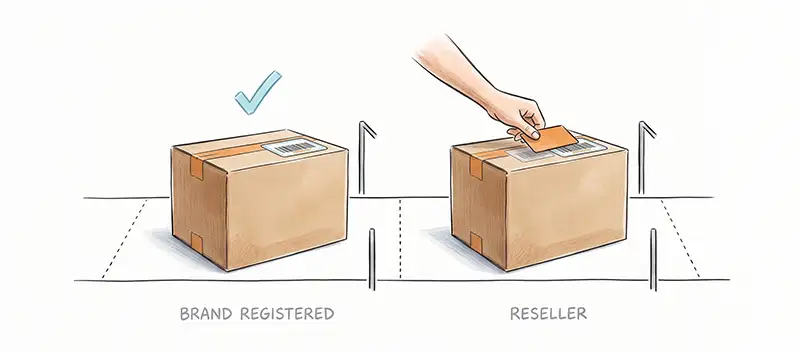
Brand owners with Brand Representative status can continue shipping FBA inventory using their existing GS1-compliant manufacturer barcodes — UPC, EAN, GTIN — with no FNSKU sticker required. This is arguably the biggest operational win to come out of the change: fewer labels to print, fewer steps in prep, and no re-stickering cost for products that already carry a compliant barcode.
If you’re a reseller
If you’re not enrolled in Brand Registry — including authorized resellers operating entirely legitimately and at real scale — the rule works the other way. Since the policy took effect, you’re required to:
- Apply an Amazon-issued FNSKU label to every individual unit sent to an FBA fulfillment center
- Cover or eliminate any manufacturer barcode that could conflict with the FNSKU on the same unit
- Rework your prep workflow accordingly, particularly if you rely on drop shipping or a third-party prep center that wasn’t previously applying FNSKU labels
An existing UPC alone, no matter how compliant it is under GS1 standards, is no longer sufficient for FBA inbound shipments from resellers. This is the detail that’s catching people off guard months later — sellers who assumed their existing barcode setup was fine are finding shipments flagged or rejected at receiving.
GTIN and FNSKU Aren’t Competing Standards
A common point of confusion is whether Amazon’s FNSKU requirement somehow replaces GS1 identifiers. It doesn’t, and understanding why makes the whole policy easier to reason about.
Your GTIN, UPC, or EAN identifies what the product is. It’s the global standard used for marketplace onboarding, retail distribution, cross-channel inventory visibility, and regulatory compliance — none of that changes. The FNSKU identifies which seller that specific unit belongs to within Amazon’s fulfillment network. One is a product identifier, the other is a seller-attribution identifier, and Amazon is simply requiring both, layered on top of each other, for anyone outside Brand Registry.
Amazon isn’t replacing your UPC. It’s adding another barcode used only inside its own fulfillment network — one that identifies the seller, not the product, and is often just called the “Amazon barcode” for that reason. Brand-registered sellers get to skip that second layer because Amazon already has a verified link between them and the product. Resellers don’t have that same verified link, so the FNSKU fills the gap.
Common Mistakes We’re Seeing
A few patterns keep showing up with sellers who got caught out by this change. The most common one: assuming that because a product already had a working, compliant barcode, it was automatically fine for FBA. That stopped being true once the change rolled out, for anyone outside Brand Registry.
The second is a scenario we’ve heard more than once — a seller fixes one shipment after a receiving rejection, then forgets to update the standard prep process, so the next batch goes out the old way and gets flagged again.
The third is leaving a manufacturer barcode visible alongside the FNSKU on the same unit. If both are legible, that’s a labeling error waiting to cause a receiving issue, not just a cosmetic one.
Five Ways to Generate FNSKU Labels Without Slowing Down Your Operation
Whatever your current workflow looks like, there’s a practical path to generating compliant barcode labels without rebuilding your entire prep process from scratch. Label Resizer supports FNSKU label generation through five distinct methods, so the right one depends on your volume and how your team already works.

- FNSKU Label Maker: Perfect if you’re labeling products manually in smaller batches. The FNSKU Label Maker generates Code 128A-compliant FNSKU labels from a simple web form, with product title, condition, merchant SKU, header, footer, and free text fields, in thermal or Avery sizes.
- CSV / Spreadsheet Upload: Already keep your inventory in a spreadsheet? Upload it directly through the CSV Web Uploader and generate labels in bulk, no Amazon-generated PDF required.
- PDF Upload: Already downloaded Amazon’s label PDFs? The PDF Web Uploader resizes and enriches them instantly, which is handy when you need to add merchant SKU or free text that Amazon’s default label leaves out.
- Browser Extension: Generate labels without ever leaving Seller Central. The Browser Extension adds one-click FNSKU generation directly inside your existing workflow.
- API Integration: Built for automated, high-volume warehouse operations. The Label Generation API lets your own systems generate compliant FBA barcode labels programmatically, with your account settings applied automatically.
All five methods run on the same label engine, so you get the same level of customization — thermal or Avery sizing, header and footer text, sequential numbering, separators — no matter which workflow fits your team.
Where This Leaves Resellers
Since the March 2026 rollout, Amazon has shown no indication that the reseller labeling requirement is temporary. In practice, that means FNSKU labeling now belongs in your standard prep process, not on a list of things to fix after a shipment gets rejected. The sooner it becomes part of your standard workflow, the less likely you are to deal with rejected shipments or last-minute relabeling later.